 © Copyright 2026 IGNOU Galaxy.
How to Find the Latest IGNOU Assignment Question Paper
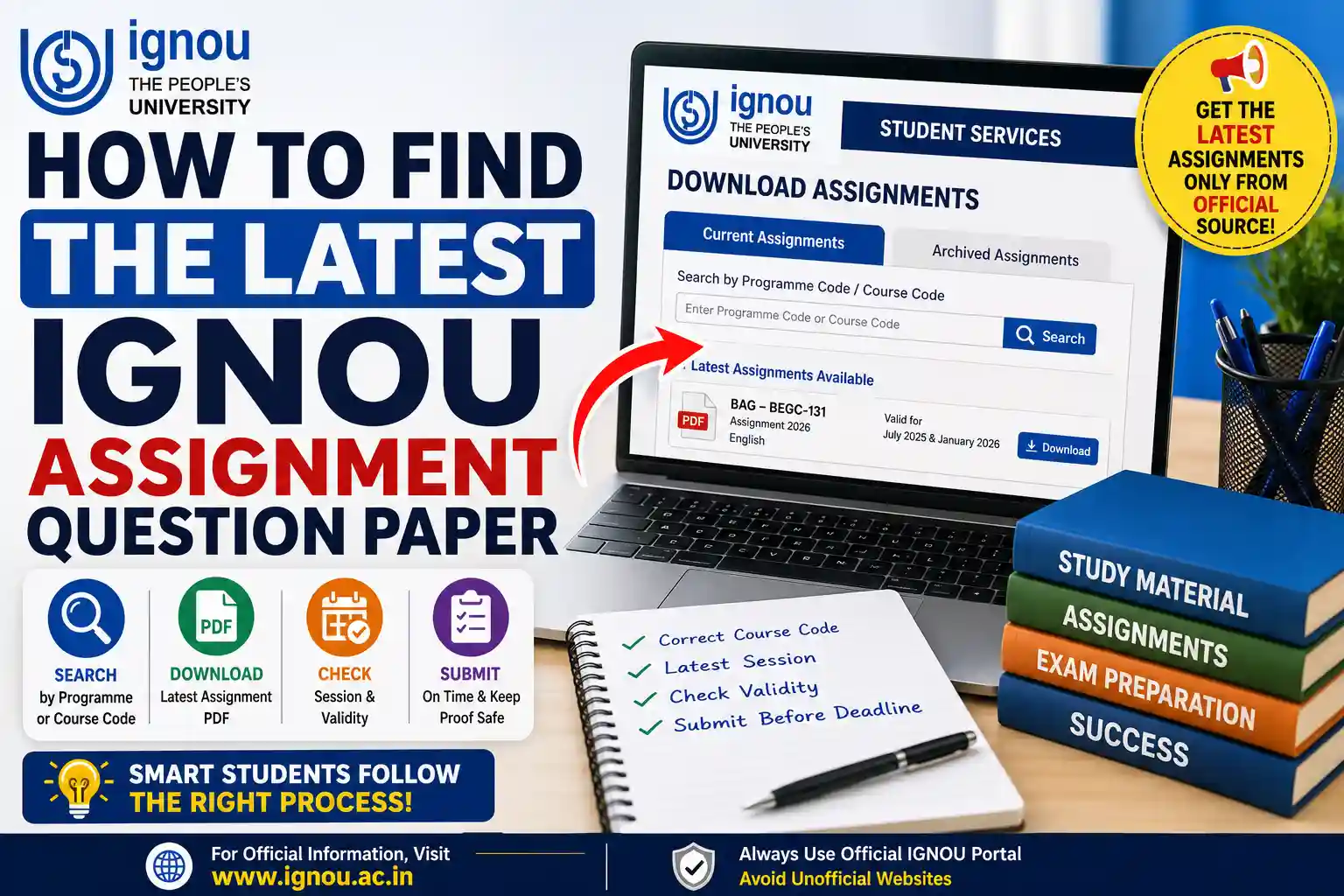
If you know your program code, course code and admission session then it is easy to find latest IGNOU assignment question paper. So the best way is to visit the official Current Assignments page of IGNOU and not download a pdf from some unofficial website.
IGNOU specifically advises the students to look for assignments using the programme code or course code and check the validity before downloading. The university has a different section for the previous sessions’ assignments.
First check your admission and course registration
Before you start looking for an assignment check the courses you are registered on.
Check your program code and enrolment number:
- 1st session
- Code for programme
- Documented course codes
- Regional Center
- Study center
- Status of re-registration
The admission status service of IGNOU is available for the registered course and it helps the learners to check their admission and registered course details. This stops students from downloading assignments of courses for which they are not registered.
Understand Program Code and Course Code
Your programme code is for the complete degree, diploma or certificate programme. Examples are BAG, MEG, MCOM, MAPC, MBA.
In that programme a course code refers to one subject. For example a student might be on a number of different courses but all within one programme.
Usually you can find these codes on:
- Confirming admission
- Details of registration status
- Identity card of IGNOU
- Program guide
- Study materials
- Previous marksheet
Generally, typing the full course name will not be as effective as searching with the exact course code.
How to Get the Latest IGNOU Assignment Question Paper
You can do the following:
- Visit the official IGNOU website.
- Go to Student Services
- Click Downloads .
- Open Current Assignments section.
- Type your programme code or your course code into the search box.
- See the attached assignment files.
- Open the PDF you are interested in.
- Check its session and its validity.
- Keep Download PDF.
- Rename the file with course code and session.
The current assignments, archived assignments and previous examination question papers are available separately in the official Student Services download section.
Examine the Assignment Session Closely
Do not download a question paper, only because the course code is same. Different admission cycles may have different assignments for the same course.
See PDF for:
- January or July Admission.
- School year
- Code for course
- code for assignment
- Language:
- Deadline to submit
- Correctness of assignments
Some of the IGNOU Assignments are valid for 1 year while some Programme Assignments are valid for 2 admission cycles. The exact date will usually be printed on the assignment.
For instance, a learner admitted in July 2025 may not always use a question paper meant only for a January 2026 cycle. Follow the validity statement printed in the official PDF.
Use the Archived Assignment Section if needed
Maybe the latest question paper is not the correct one for every student. Archived assignment may be required for learners from an older admission cycle, pre-revised syllabus or discontinued programme structure.
Use the Archived Assignments page if:
- Your course is on an old syllabus.
- Your programme has been modified.
- Your course is not in the current portal.
- There is a reference to a previous assignment in your programme guide.
- Senior learners are advised to use one paper by IGNOU.
For example, IGNOU gives special instructions to learners enrolled under certain pre-revised BCA structures as new assignments are no longer issued for some older courses.
Read the Instructions in the PDF
Usually the important directions are provided in the first pages of an IGNOU assignment. Don't skip them.
Instructions may be:
- Questions to ask
- Word count limits
- Points a question
- Validity of assignment
- Front page information required
- Submissions deadline
- Requirements of the Study Centre
- If it is required to do work by hand
Some official assignment PDFs require students to write their name, enrolment number, programme code, course code and Study Centre details clearly.
Study Material Access Before Writing
Use official IGNOU study blocks as the main source for preparing answers. Read the relevant units before you begin each question.
An effective method is:
- Find the block related to the question.
- Read the entire unit.
- Take note of the key concepts.
- Create an answer plan.
- Express it using your own phrasing.
- Insert appropriate examples.
- Check word limit.
For academic guidance of students IGNOU Galaxy may be consulted. You can understand the answer structure with the help of IGNOU Solved Assignments You can improve the answer presentation with the help of IGNOU Handwritten Assignments Keep the last answers genuine.
Complete and Submit Assignments Timely
Download the correct paper, create a plan to complete it before the deadline.
Your cover page for the assignment usually should include:
- Headline.
- Student enrolment counts
- Code of program Course ID - Code of the assignment
- Centre code
- Phone number
- Session
- Date of Submission
Regional Centre may have different submission methods. ODL learners may have to submit at their designated Study Centre or through an approved online form. Online learners may be required to submit via their Learning Management System .
Save Proof and Verify Assignment Status
Always keep:
- Full scanned assignment Submission accepted.
- Virtual recognition
- email verification
- Turn on tracking posting where permitted
- Screen shot of submission page
Later students can check status of assignment, project and practical submission through official status service. (IGNOU ISMS)
Unless your centre tells you to, do not send the same work by more than one route.
Fill IGNOU Exam Form Separately
Important Note: Submission of Assignment and registration for Term-End Examination are two different process.
Submission of an assignment does not confirm your registration for the examination. Fill TEE form separately, select correct Course code and keep the payment acknowledgement.
Similarly filling the exam form is not submission of assignment.
Project or Synopsis Submission
There may be separate guidelines and portals for projects, dissertations, practical files and internships. Do not download a project handbook in place of a regular assignment.
IGNOU Projects may provide general guidance on synopsis and report organisation. However, students should refer to their respective program’s official project manual, supervisor’s rules and submission dates.
Errors to Avoid
- Download first from an unofficial site.
- Searching for the wrong course code
- Using a stale assignment
- confusing test papers with homework
- Wrong language selection
- Bypassing the admission cycle
- Just copy the ready made answers
- Submitted to other study centre
- Lost acknowledgement receipt.
- Last minute writing
Questions and Answers
1. Where to find the latest IGNOU assignment question paper?
You can check the section of Current Assignments in IGNOU Student Services.
2. Is it possible to search my programme code?
Yes.You can search programme code or course code in ignou.
3. How do I know if an assignment is valid?
Check the academic session, validity period and closing date printed inside the PDF.
4. Can I use the question paper of previous assignment?
Only if it is valid or IGNOU has asked the learners of your admission cycle to use it .
5. Can’t find my assignment. What do I do?
Check the archived portal. Check your course code and contact your Study Centre/Regional Centre.
6. Is there any difference between previous TEE question papers and assignment?
No. Assignments are the continuous assessment tasks and TEE papers are the examination question papers
7. Download assignments on a mobile phone?
Yes, download all pages and save the PDF clearly
8. Are all learners assigned the same work?
Not quite. The relevant assignment may be subject to course, programme, session & syllabus structure.
9. Do I attach the question paper?
Please check the instructions in your assignment PDF and Study Centre as requirements vary.
10. How to know IGNOU has received my assignment?
Use the official assignment-status service, and keep your acknowledgement proof.
Conclusion
If you are looking for the latest IGNOU assignment question paper then the first thing you should have with you is your registration number along with the exact programme and course code. Before you write please check the official Current Assignments portal, open the PDF and check its session, validity and language.
Check the archived section. Don't assign an inappropriate assignment if the most recent paper is not your admission cycle. Save the PDF, prepare original answers, submit through the authorised method and retain proof until marks appear in your grade card.