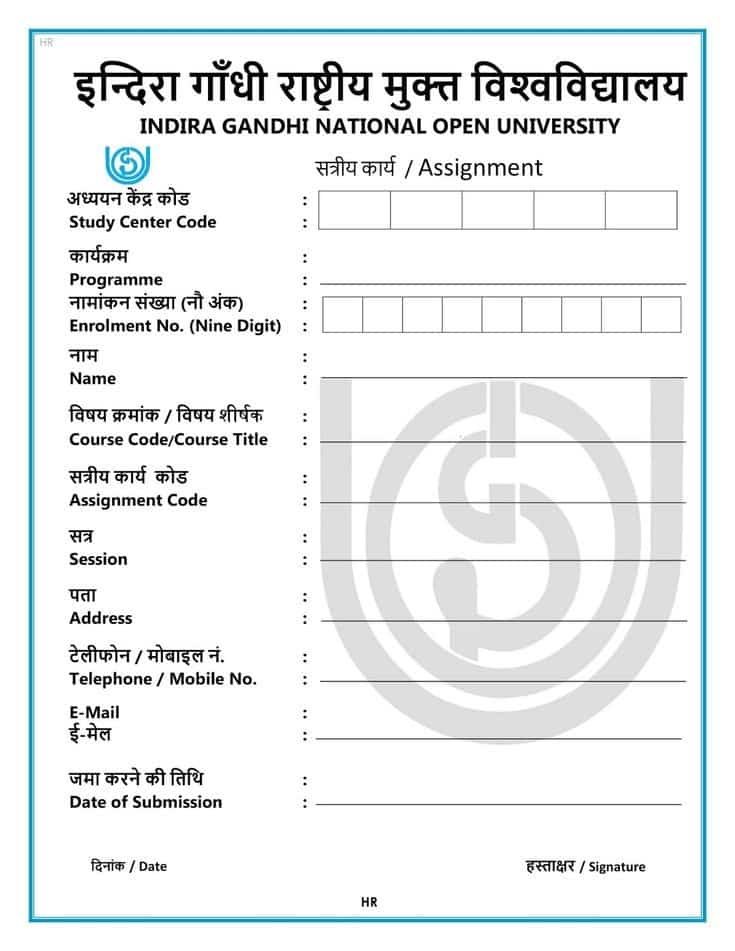
IGNOU Assignment Front Page

IGNOU Assignment Front Page & Cover Page Guide

Before writing your answers, the first step is preparing the correct IGNOU assignment front page. This is not just a formality—it helps the evaluator identify your assignment quickly and ensures smooth processing at the study centre.

A neat and complete cover page improves the presentation of your work and prevents your assignment from being rejected or delayed due to missing details.

In this guide, you’ll find the proper IGNOU front page format, essential details to include, ready-to-download designs, and an easy Front Page Generator to create a perfectly typed cover page instantly.

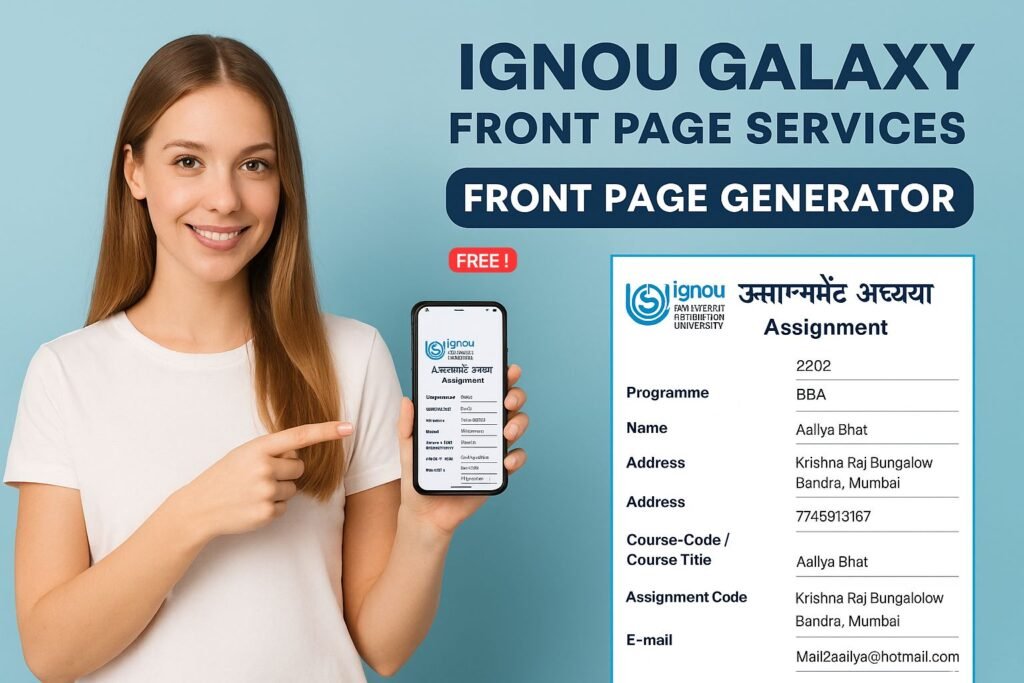
IGNOU Front Page Generator | IGNOU Assignment Cover

Generate Your IGNOU Front Page Instantly

Fill your details, preview your IGNOU assignment cover page live and download it as a ready-to-print PDF.

इंदिरा गाँधी राष्ट्रीय मुक्त विश्वविद्यालय
INDIRA GANDHI NATIONAL OPEN UNIVERSITY
सत्रीय कार्य / Assignment
अध्ययन केंद्र कोड / Study Center Code :
क्षेत्रीय केंद्र कोड / Regional Centre Code :
कार्यक्रम / Programme :
नामांकन संख्या / Enrolment No. :
पूरा नाम / Full Name :
विषय क्रमांक / शीर्षक
Course Code / Course Title :
सत्रीय कार्य कोड / Assignment Code :
सत्र / Session :
पता / Address :
मोबाइल नंबर / Mobile Number :
E-mail :
जमा करने की तिथि / Date of Submission :

Enter Your IGNOU Details

🚀 Join Our Community
Get instant IGNOU updates, offers & exam tips on your favourite platforms.

IGNOU Assignment Front Page & Cover Page…

Ignou assignment front page

Why Is the IGNOU Assignment Front Page Important?

Adding a proper assignment front page makes it easier for evaluators to:

  • Identify the student’s assignment easily

  • Cross-check details like enrollment number and course code

  • Speed up the checking process

  • Give you credit for your hard work

Moreover, a well-formatted IGNOU assignment front page PDF makes a great first impression.

Details to Include on the IGNOU Assignment Front Page

Write the following information clearly at the top of every assignment.

  • 1
    Programme Full Name
  • 2
    Course Code
  • 3
    Course Title
  • 4
    Assignment Code
  • 5
    Study Centre Name & Code
  • 6
    Session Month & Year (e.g., January 2025 / July 2025)
  • 7
    Mobile Number
  • 8
    Enrollment Number
  • 9
    Full Student Name
  • 10
    Complete Residential Address
  • 11
    Signature (handwritten only)
  • 12
    Date of Submission

Download Front Page PDF (For Manual Handwriting)

Choose any IGNOU front page design below, download the PDF and fill your details neatly by hand.

Front Page Design 1 (Blue)
Simple blue design – English layout.
⬇ Download PDF (Design 1)
Front Page Design 2 (Hindi)
Hindi-focused front page format.
⬇ Download PDF (Design 2)
Front Page Design 3
Clean assignment front page layout.
⬇ Download PDF (Design 3)
Front Page Design 4
Neat, exam-friendly design.
⬇ Download PDF (Design 4)
Front Page Design 5
Alternative layout for IGNOU assignments.
⬇ Download PDF (Design 5)
Front Page Design 6
Simple and minimal front page.
⬇ Download PDF (Design 6)
Galaxy Design Front Page
Signature IGNOU Galaxy front page design.
⬇ Download PDF (Galaxy Design)

Step-by-Step Instructions for Preparing IGNOU Assignments

Follow these IGNOU-friendly guidelines to avoid rejection, copying issues and formatting mistakes.

  1. 1
    Use thick A4 size ruled paper
    Always write your assignments on good-quality, thick A4 size ruled sheets. Avoid thin or poor-quality pages that can tear or look shabby.
  2. 2
    Leave one line after every answer
    After each answer, leave at least one blank line so that the evaluator has space to write comments or marks clearly.
  3. 3
    Prefer ruled sheets
    Ruled sheets keep your writing straight and neat. Avoid plain sheets unless specifically mentioned in your programme guidelines.
  4. 4
    Use only blue or black pens
    Write your answers using blue or black ink only. These colours are standard and clearly visible during evaluation and scanning.
  5. 5
    Avoid coloured pens
    Do not use red, green or any other coloured pens for writing answers. Such colours are reserved for evaluators and can create confusion.
  6. 6
    Maintain neat handwriting
    Clear and readable handwriting creates a positive impression and can indirectly help you score better marks.
  7. 7
    Assignments must be handwritten
    IGNOU assignments should be handwritten only. Typed or printed assignments are generally not accepted and may be rejected.
  8. 8
    Do not photocopy study material
    Do not photocopy or directly reproduce text from IGNOU study material. Copy-paste style answers usually get very low or zero marks.
  9. 9
    Write in your own words
    Explain concepts in your own language. Avoid copying from classmates or other sources. Unique, original answers are rewarded.
  10. 10
    Prepare each subject separately
    Make separate assignment sets for each subject. Do not mix different course codes in a single bundle.
  11. 11
    Write the question before every answer
    Before you start writing an answer, write the full question number and question statement. Do not attach printed question papers instead.
  12. 12
    Use a paper folder
    Once your answers are complete, arrange them neatly in order and place them in a paper folder. Plastic folders are usually not accepted.
  13. 13
    Submit only at your Study Centre
    Submit assignments to the Coordinator of your allotted Study Centre. Do not send them to the Regional Centre or evaluation division directly.
  14. 14
    Collect acknowledgment receipt
    After submission, always request and keep a signed acknowledgment or receipt as proof that your assignment has been submitted on time.

Where to Submit?

Submit your assignment only to the Coordinator of your assigned IGNOU Study Centre. Do not submit at Regional Centres, headquarters or evaluation offices unless specifically instructed in official IGNOU guidelines.

FAQs – IGNOU Assignment Front Page

1. Can I download the IGNOU assignment front page PDF?

Yes, you can. Scroll above on this page and click the download button to instantly generate and save your IGNOU assignment front page as a PDF.
2. Is the assignment front page mandatory?

Absolutely! The IGNOU assignment front page is compulsory. Without it, your assignment may be rejected, delayed, or not properly evaluated at the study centre.

3. Should I staple or bind my assignment?

Use a simple paper file or thread to keep pages together. Avoid staplers, spiral binding or plastic files, as many IGNOU study centres do not prefer them.

4. Can I write my assignment in Hindi?

Yes, IGNOU allows assignments to be written in English or Hindi, depending on your programme and course medium. Always follow the language mentioned in your study material.

5. Can I submit assignments online?

Some programmes allow online submission, but rules vary by course and study centre. Always confirm with your regional centre or study centre before submitting online.

IGNOU Galaxy – Your Trusted Assignment Partner

If you are struggling with assignment writing, formatting, or need high-quality reference material, IGNOU Galaxy provides everything you need.

  • Ready-to-use IGNOU solved assignments
  • Handwritten assignments prepared by experts
  • Perfectly formatted assignment front pages
  • Rejection-FREE & 100% approval guarantee
  • Timely delivery (PDF & handwritten options)
  • Affordable rates for all IGNOU programs

📞 Know More – Call or WhatsApp: 7745913167