 © Copyright 2026 IGNOU Galaxy.

IGNOU Student Portal (Samarth): A Section-by-Section Tour
IGNOU’s student portal runs on the Samarth platform at ignou.samarth.edu.in. Once your admission is confirmed, it is where you see your courses, re-register, fill the exam form, download your hall ticket and ID card, and reach most other student services. We went through a real student account and photographed each section, with personal details blurred, so you know exactly what to expect.
What the IGNOU student portal is
Samarth is an e-governance platform used by several Indian universities, and IGNOU uses it for student records. The student portal is separate from the admission portal you used to apply: admission happens on ignouadmission.samarth.edu.in, while day-to-day student services sit on ignou.samarth.edu.in.
| Portal address | ignou.samarth.edu.in |
|---|---|
| Who can use it | Students whose IGNOU admission has been confirmed |
| Login page fields | Username, password and a captcha |
| Options on the login page | New Registration and Reset Password |
| Main menu groups | Student, Examination, Training & Placement, My Certificates, Payment |
Logging in
The login page is titled “Indira Gandhi National Open University, Student Portal” and asks for a username, password and captcha. New students create their account with New Registration; anyone who has forgotten their password uses Reset Password. Our IGNOU login guide covers sign-in problems in detail.
After you log in, the top-right corner of every page shows your account identifier with a Logout option beneath it.
The dashboard
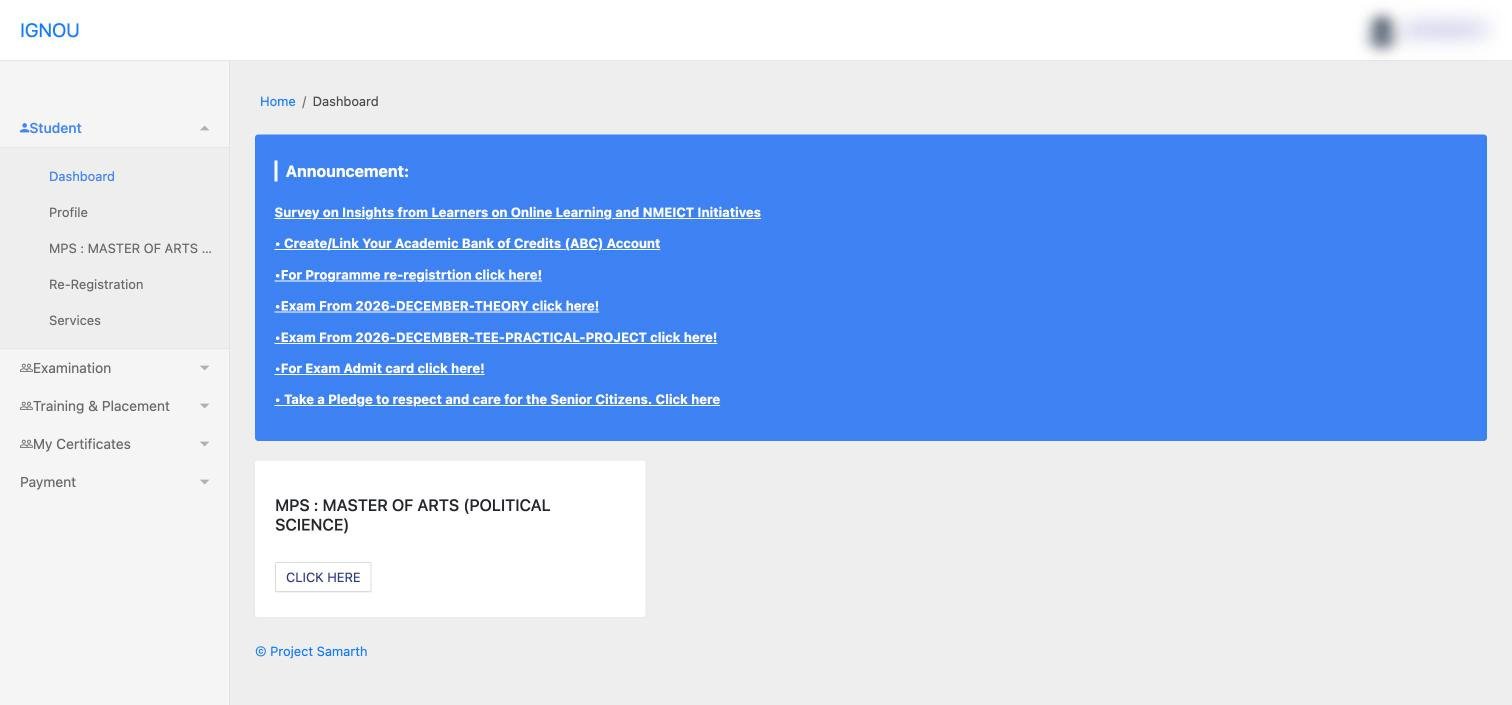
The dashboard has two parts. The blue Announcement box lists whatever needs your attention right now. On the day we checked, it carried links to:
- Create or link your Academic Bank of Credits (ABC) account
- Programme re-registration
- The December 2026 theory exam form
- The December 2026 practical and project exam form
- The exam admit card
- A learner survey and a public pledge
Below it, a card for each programme you are registered in has a Click Here button that opens your programme page. Check the announcement box every time you log in: deadlines for exam forms and re-registration appear here first.
Programme page: your courses
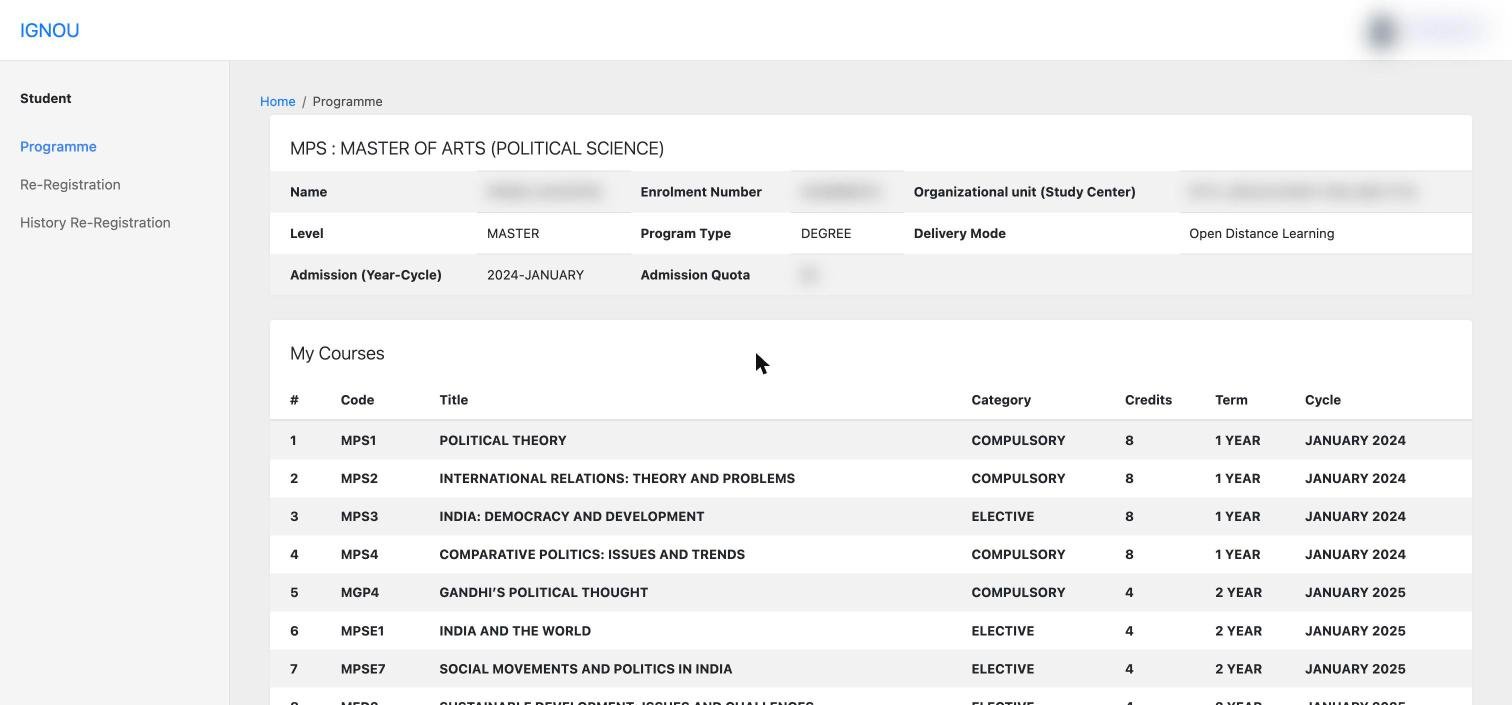
Open your programme from the dashboard card or the Student menu. The top panel shows your programme details:
IdentityName, enrolment number and organisational unit (your study centre)
ProgrammeLevel, programme type and delivery mode (for example, Open Distance Learning)
AdmissionAdmission year and cycle, and admission quota
NavigationLinks to Re-Registration and History Re-Registration on the left
Below it, My Courses lists every course you are registered for, with these columns:
- Code and Title: the course code you will use for assignments, exam forms and eGyanKosh searches
- Category: Compulsory or Elective
- Credits: one credit is about 30 hours of study, so an 8-credit course means roughly 240 hours
- Term: the year or semester the course belongs to
- Cycle: the admission or re-registration cycle in which it was added
Check this every sessionAfter re-registration, open this table and confirm the new year’s courses appear, especially your electives. Your assignments and exam form are based on what is listed here.
Services: 13 shortcuts in one place
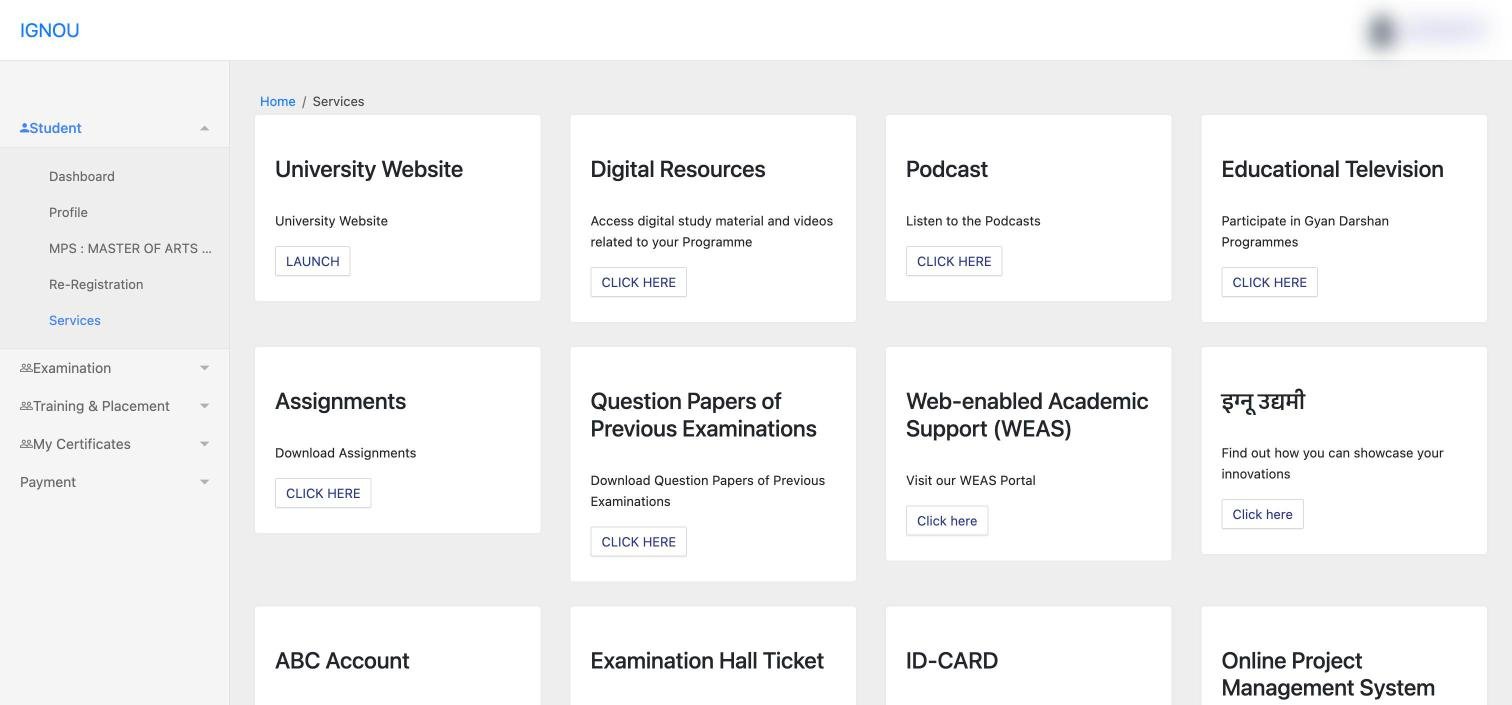
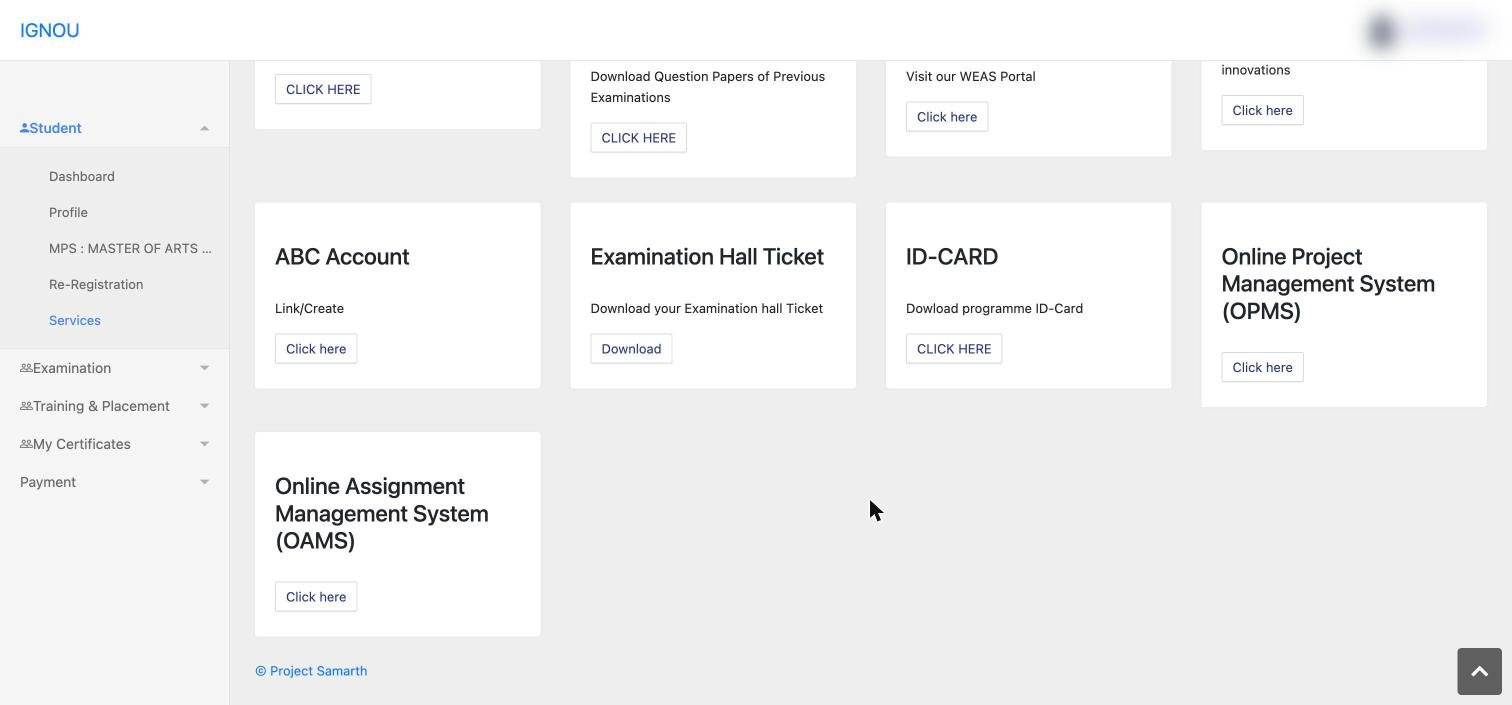
The Services page collects links to almost everything else IGNOU offers students:
| Tile | What it opens |
|---|---|
| University Website | Opens ignou.ac.in |
| Digital Resources | Opens eGyanKosh for study material and videos |
| Podcast | IGNOU podcasts |
| Educational Television | Gyan Darshan programmes |
| Assignments | IGNOU’s assignment download page |
| Question Papers of Previous Examinations | IGNOU’s previous papers page |
| Web-enabled Academic Support (WEAS) | IGNOU’s WEAS portal |
| इग्नू उद्यमी (IGNOU Udyami) | Showcasing student innovations |
| ABC Account | Create or link your Academic Bank of Credits account |
| Examination Hall Ticket | Download your hall ticket |
| ID-CARD | Download your programme ID card |
| Online Project Management System (OPMS) | Project-related services |
| Online Assignment Management System (OAMS) | Assignment-related services |
For step-by-step help with two of these, see our guides on downloading the IGNOU ID card and using eGyanKosh.
Re-Registration section
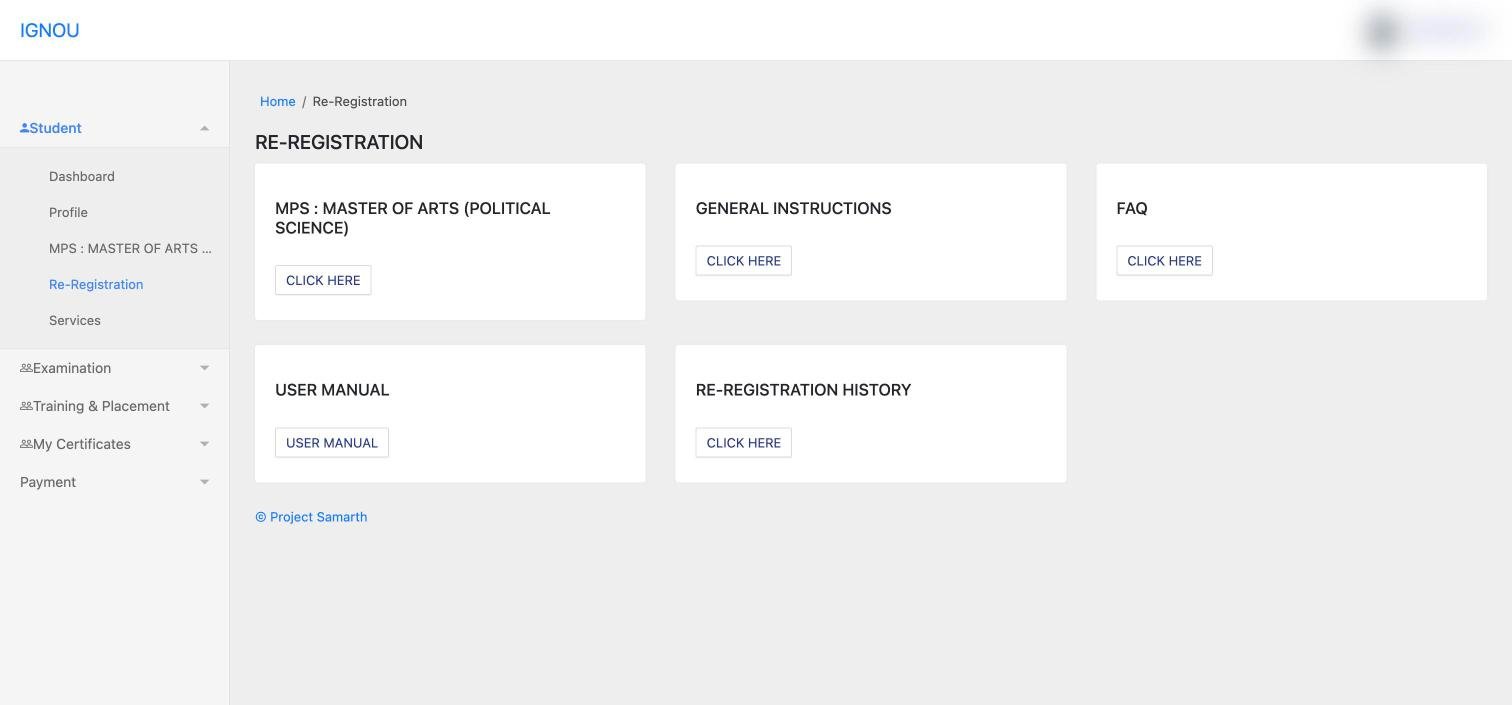
The Re-Registration page has five cards: your programme (to start re-registration when the window is open), General Instructions, FAQ, User Manual and Re-Registration History. The history card is useful if you are unsure whether a previous year’s re-registration went through. Our registration and re-registration guide covers fees, deadlines and payment.
Examination section
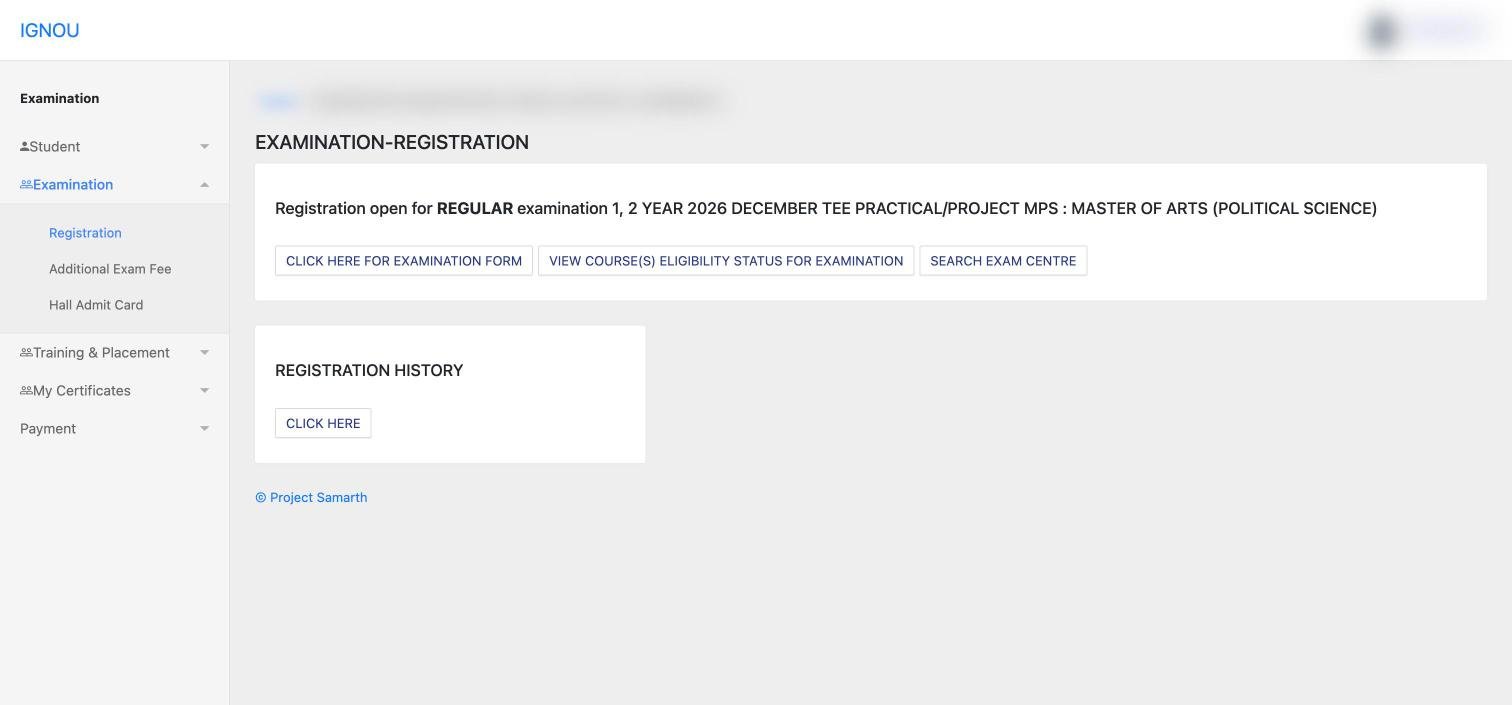
When an exam form is open, the Registration page shows a line such as “Registration open for REGULAR examination … 2026 DECEMBER TEE …” with three buttons:
- Click here for Examination FormFill and submit the term-end exam form.
- View Course(s) Eligibility Status for ExaminationSee which courses you are eligible to appear in before you pay.
- Search Exam CentreLook up exam centres before choosing yours.
A Registration History card below shows your earlier exam forms.
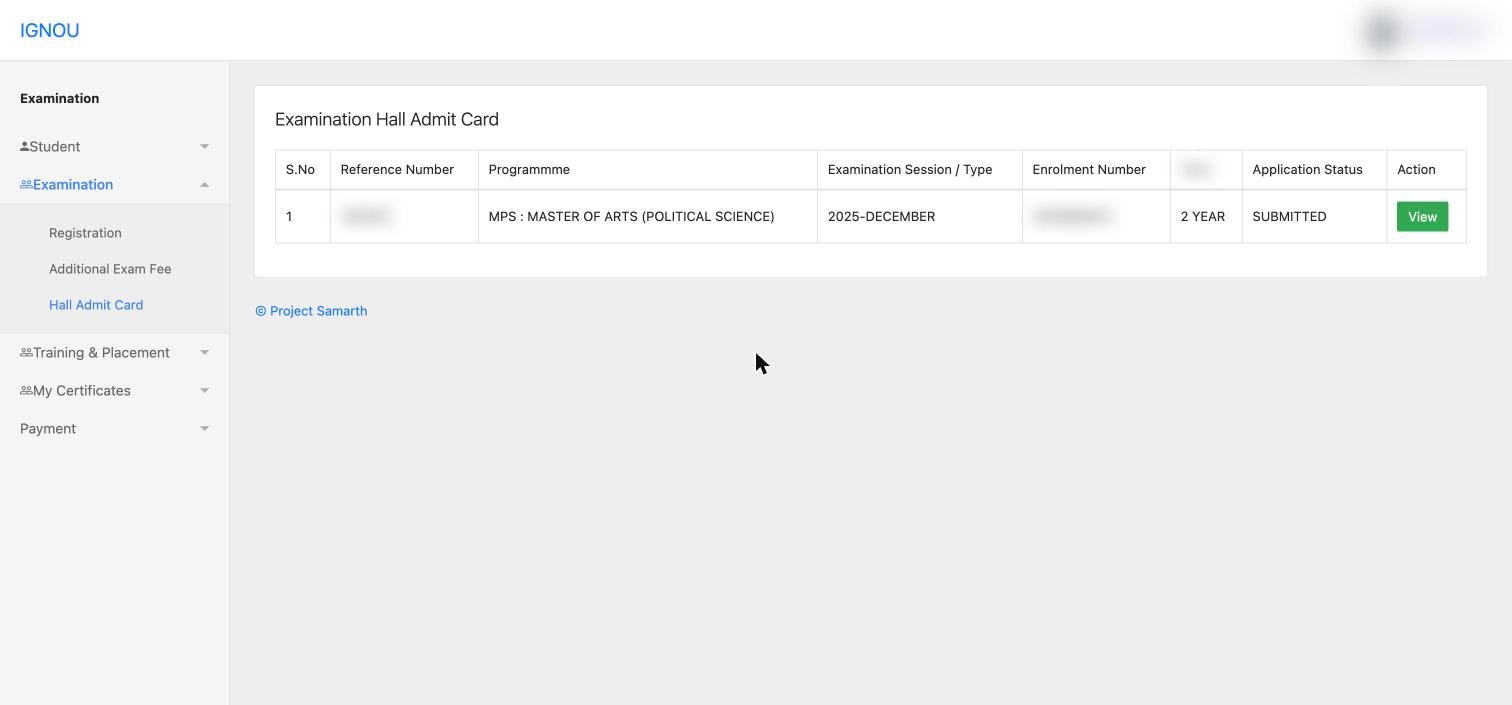
The Hall Admit Card page lists each exam session you registered for, with a reference number, programme, session (for example 2025-DECEMBER), enrolment number, year, application status and a View button to open the hall ticket. Additional Exam Fee is where any extra exam payment is made.
Certificates, payments and placement
- My Certificates › All certificates: when nothing has been issued yet, the page says certificates will appear once published by the institution.
- Payment › My Payment: your record of payments made through the portal. Check here before paying again if a payment seems stuck.
- Training & Placement: register, see available and applied “seasons”, and apply for jobs or internships listed by the university.
What the student portal does not show
Some IGNOU services still run on separate websites and only need your enrolment number:
- Study material dispatch status (see our book status guide)
- Grade card and term-end results (see our grade card guide)
- Convocation registration and degree delivery (see our convocation guide)
Using the portal safely
- Type ignou.samarth.edu.in yourself or reach it from ignou.ac.in. Do not log in through links sent on WhatsApp or Telegram.
- Never share your password or OTP, including with cyber cafés or agents.
- Always click Logout on a shared computer.
- Take screenshots or PDFs of every form you submit and every payment you make.
Frequently asked questions
What is the official IGNOU student portal?
ignou.samarth.edu.in, IGNOU’s student portal on the Samarth platform. It is also linked from ignou.ac.in.
Is the student portal the same as the admission portal?
No. You apply on ignouadmission.samarth.edu.in. The student portal at ignou.samarth.edu.in is used after admission.
Where do I download my ID card?
Services › ID-CARD. Our ID card guide walks through it with screenshots.
Where is the exam form?
Examination › Registration. When a form is open, the dashboard announcement box also links to it.
How do I see my courses?
Open your programme from the dashboard card. The My Courses table lists every course with its code, category, credits, term and cycle.
Can I check my grade card on the student portal?
Grade cards and results are on IGNOU’s separate results pages, which only need your enrolment number.