 © Copyright 2026 IGNOU Galaxy.

IGNOU Admission 2027: The Complete Step-by-Step Guide
 By Shreyansh · B.Sc, MBA · Founder & CEO, IGNOU Galaxy · Updated 2 November 2026
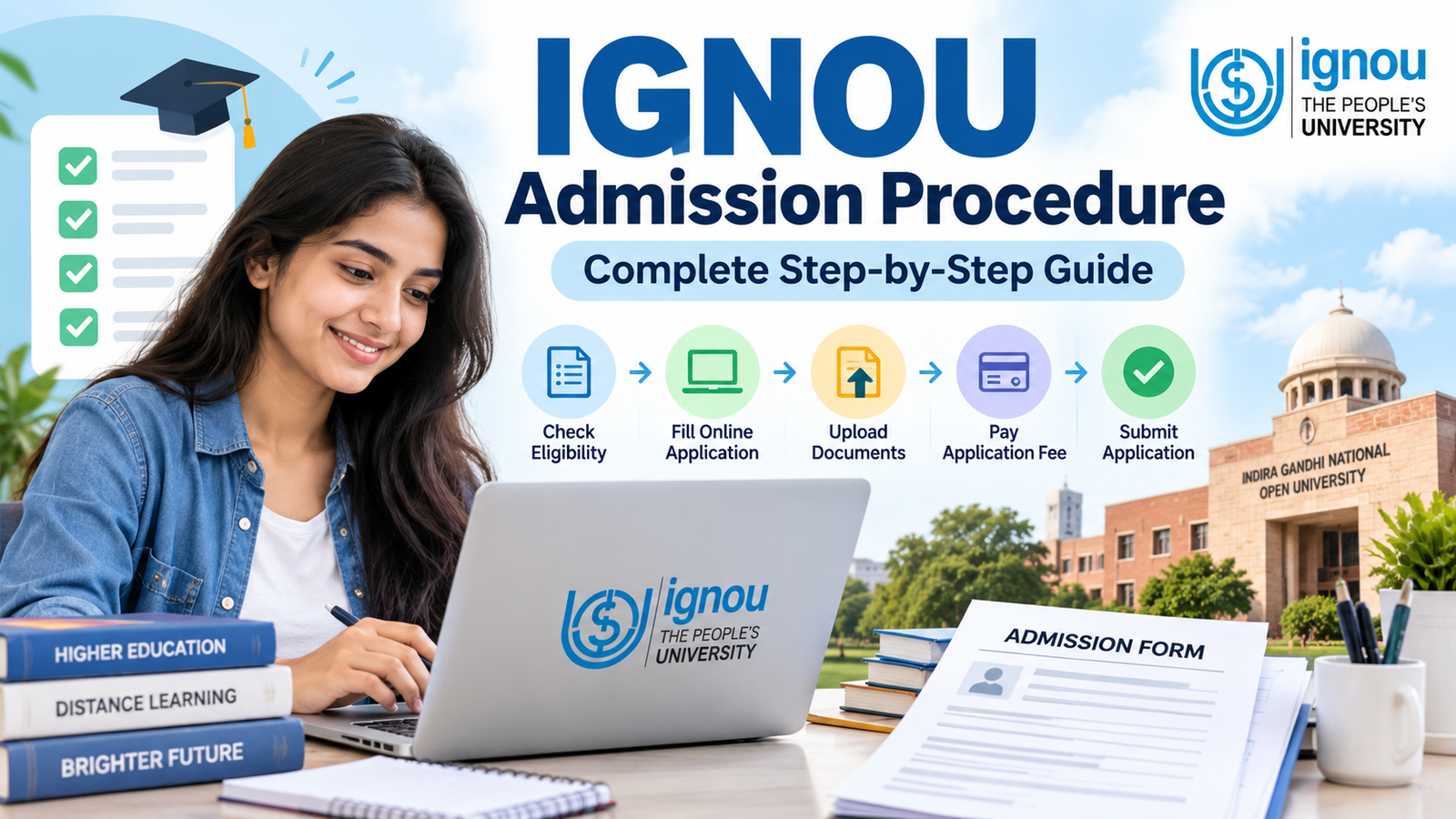
IGNOU runs two admission cycles a year, January and July, and the January 2027 cycle is the next one. As of 2 November 2026, IGNOU has not yet published the January 2027 notification. Going by the last cycle, the window is likely to open in mid-December: the January 2026 cycle opened on 16 December 2025 and its original last date was 31 January 2026, later extended for many programmes.
Every year our team at IGNOU Galaxy answers the same handful of admission questions from students. Why is my status still "Discrepancy"? Where do I get an ABC ID? Will I get my money back if I cancel? This guide puts all of those answers in one place, in the order you will actually face them.
Dates, fees and rules can change from one cycle to the next. Treat the official Common Prospectus and the notices on ignou.ac.in as the final word, and use this guide to understand the process.
IGNOU admission at a glance
| Item | Details |
|---|---|
| Admission cycles | January and July every year |
| January 2027 window | Not announced yet; the January 2026 window opened 16 Dec 2025 |
| Portal for ODL programmes | ignouadmission.samarth.edu.in |
| Portal for Online (OL) programmes | ignouiop.samarth.edu.in |
| Registration fee | ₹300 in recent cycles, non-refundable |
| Mandatory ID | ABC (APAAR) ID, used to create your DEB ID |
| Selection | Eligibility-based for most programmes; entrance test for B.Ed, Post Basic B.Sc Nursing, PGDRPC and PhD |
| Study material | Printed books, or soft copy with a 15% programme fee discount |
Complete IGNOU admission process, step by step
The whole admission happens online on IGNOU's Samarth portal, and you can finish it in one sitting if your documents and IDs are ready. Here is the order that saves the most trouble.
- Read the Common Prospectus first. Check the eligibility, duration and fee of your programme, and whether it is offered in ODL mode, Online mode, or both.
- Create your ABC (APAAR) ID and DEB ID before opening the form. IGNOU states that the DEB ID is mandatory for submitting the application, and the DEB ID can only be created from an ABC ID. The section below covers both.
- Open the correct portal. Use ignouadmission.samarth.edu.in for ODL programmes and ignouiop.samarth.edu.in for Online programmes. Picking the wrong one is a common reason students cannot find their programme.
- Click "New Registration". Enter your name, email ID and mobile number, and set a password. The portal gives you a username; note it down along with the password.
- Log in and fill the form. Select the programme, medium and regional centre, then enter personal details, category, address and academic qualifications. Your name and date of birth must match your age proof exactly.
- Choose printed or soft-copy study material. A soft copy brings a 15% discount on the programme fee, and the choice cannot be changed after the form is submitted.
- Upload documents. Photo, signature, age proof, qualifying marksheet, and category or other certificates if you claim them.
- Preview carefully. This is your last chance to fix mistakes yourself. Check the spelling of your name, date of birth, programme code and regional centre.
- Pay the fee online. Debit card, credit card, net banking and UPI options are usually offered at the payment step.
- Download the submitted form and payment receipt. Keep the PDF and note your control/registration number. You will need it to track status, reply to a discrepancy or request a refund.
After submission, the regional centre verifies your documents. If everything is in order, your admission is confirmed and an enrolment number is generated. Confirmation can take anywhere from a couple of weeks to about two months, depending on the regional centre and how many applications it is handling.
Essential document checklist for IGNOU admission
Most discrepancies we see come from documents, not from the form itself: a blurred marksheet, a signature in capital letters, or a name spelled differently on two certificates. Scan everything before you start.
| Document | When required | Format and size |
|---|---|---|
| Recent passport-size photograph | Always | JPG/JPEG, under 100 KB |
| Signature | Always | JPG/JPEG, under 100 KB |
| Age proof (10th certificate or birth certificate) | Always | Scanned copy, under 200 KB |
| Qualifying marksheet / degree (12th for UG, graduation for PG) | Always | Scanned copy, under 200 KB |
| Category certificate (SC/ST/OBC non-creamy layer/EWS) | Only if you claim the category | Scanned copy, under 200 KB |
| PwD certificate | Only if you claim disability | Scanned copy, under 200 KB |
| BPL certificate | Only if you claim BPL status | Scanned copy, under 200 KB |
| Experience certificate | Only for programmes that ask for work experience | Scanned copy, under 200 KB |
IGNOU's admission guidelines have listed these limits for years. Read the instruction page on the portal before uploading, since the limits shown there for your cycle are the ones that apply.
Tips that prevent rejections
- Photograph: plain light background, face clearly visible, no caps or dark glasses.
- Signature: sign in black or blue ink on white paper, crop tightly, and do not use capital letters.
- Marksheets: scan the full page so the board name, roll number and result are readable. Phone photos taken at an angle are often marked unreadable.
- Name match: your name should be identical across the form, age proof and marksheet. If it differs (after marriage, for example), keep a gazette notification or affidavit ready.
- Category certificates: OBC applicants should use a current non-creamy layer certificate in the format accepted for central institutions.
Creating and linking your APAAR/ABC ID and DEB ID
You cannot submit an IGNOU admission form without a DEB ID, and you cannot get a DEB ID without an ABC ID. So the order is fixed: ABC ID first, DEB ID second, IGNOU form third.
ABC ID stands for Academic Bank of Credits ID. It is the 12-digit APAAR number that stores your academic credits digitally. DEB ID is the learner ID that UGC's Distance Education Bureau requires for every student in open, distance or online programmes.
Step 1: Generate your ABC ID through DigiLocker
- Open the DigiLocker app or website and sign in with your Aadhaar-linked mobile number.
- Search for "ABC ID" (Academic Bank of Credits) in the documents section.
- Fill in the details asked, such as your institution and admission year, and tap "Get Document".
- Your ABC ID appears in your DigiLocker issued documents. Save or screenshot it.
If you already got an APAAR ID through school or another university, use the same number. One student should have only one ABC ID.
Step 2: Create your DEB ID
- Go to deb.ugc.ac.in and open the learner registration option.
- Enter your ABC ID and the details asked, such as your name as per Aadhaar, email ID and mobile number.
- Submit. Your DEB ID is shown on screen and also sent to your email.
Step 3: Link it to your IGNOU application
The Samarth admission form has a field for your DEB ID (and ABC ID). Enter it exactly as issued. The name you enter in the IGNOU form should match the name on your Aadhaar and ABC ID, because a mismatch is a common reason the ID fails to validate.
Old students who joined before this rule are also expected to create a DEB ID. We have explained that situation, along with login and common errors, in our DEB ID IGNOU: complete guide.
Samarth portal navigation: accounts, login and password errors
IGNOU uses more than one Samarth portal, and most "login not working" complaints happen because students try the right password on the wrong portal.
| Purpose | Portal | Login with |
|---|---|---|
| New admission, ODL programmes | ignouadmission.samarth.edu.in | Username and password you created at New Registration |
| New admission, Online programmes | ignouiop.samarth.edu.in | Username and password you created there |
| Student dashboard after confirmation (ID card, profile, services) | ignou.samarth.edu.in | Enrolment number and password, after a one-time student registration |
| Re-registration for the next year/semester | onlinerr.ignou.ac.in | Enrolment number and programme details |
Creating your student account after confirmation
The account you used to apply is not the same as your student account. Once you have an enrolment number, register once on ignou.samarth.edu.in using that enrolment number. Only then can you download your ID card and use student services.
Fixing common login problems
- Forgot password: use the "Forgot Password" link on the same portal. The reset link or OTP goes to the email or mobile number you registered with, so check spam folders too.
- "Invalid username": make sure you are on the portal that matches your programme mode and stage (admission vs student dashboard).
- No access to the registered email or mobile: the portal cannot reset this by itself. Write to your regional centre from any email, mention your control number or enrolment number, and attach your ID proof. Regional centres can help reset the account and update contact details.
- Page not loading near deadlines: traffic peaks in the last few days. Try early morning, clear the browser cache, or switch to a desktop browser.
- Name corrected but number shows "does not exist": this can happen while records are being updated. If it continues, contact your regional centre with your control number and proof of the corrected name.
Admission status tracking and discrepancies
After payment, log in to the same admission portal and open your application to see its status. The exact label wording changes slightly between cycles, but every status falls into one of the stages below.
| Status you may see | What it means | What you should do |
|---|---|---|
| Fresh Application / Submitted / Under verification | Form and fee received; the regional centre has not reviewed it yet | Nothing. Wait, and check your email regularly |
| Discrepancy Raised | The verifier found a problem, such as an unclear document, a missing certificate, or an eligibility doubt | Read the remark, upload the corrected document from your login, and submit within the time given |
| Discrepancy Resolved | You have replied; it is back in the verification queue | Wait. It can take a few weeks to move again |
| Provisionally Confirmed / Confirmed | Admission accepted and enrolment number generated | Register on the student portal and download your ID card |
| Rejected | Eligibility not met, or a discrepancy was not cleared in time | Read the reason. If eligibility was the issue, the fee is refunded as per policy |
How to clear a discrepancy
- Open the remark and read exactly what is asked. "Upload clear marksheet" means one document, not your whole file.
- Rescan the document properly within the size limit, then upload it in the discrepancy section of your application.
- Use the "Others" upload slot only for supporting papers, such as an affidavit for a name mismatch.
- Submit, and download a copy of the updated application.
IGNOU usually sends discrepancy alerts by email and also gives a deadline. Missing that deadline is the most avoidable reason for rejection. If the status has not moved for more than a month after you resolved it, email your regional centre with your control number.
IGNOU fee structure and online payment methods
What you pay at admission has three parts. The programme fee is the largest and differs by programme; the other two are small fixed charges.
| Fee component | Amount in recent cycles | Refundable? |
|---|---|---|
| Registration fee | ₹300 | No |
| Development fee | ₹200 (shown on recent application receipts) | Only in specific cases under the refund rules |
| Programme fee (first year or semester, or full fee where applicable) | Varies by programme; see the Common Prospectus | Partly, depending on timing |
Two things can lower the bill. Choosing soft-copy study material gives a 15% discount on the programme fee. Eligible SC/ST learners can also get a fee exemption in notified programmes, in which case only the registration and development fees are paid. Check the prospectus for which programmes qualify.
Payment methods
The Samarth payment page accepts debit cards, credit cards, net banking and UPI. Pay from a stable connection and do not press back or refresh while the bank page is processing.
Payment failed but money debited
- Wait 24 to 48 hours before paying again. Many failed transactions are automatically reversed by the bank.
- Log in and check whether the application now shows the payment as successful. Sometimes the status updates late.
- If the amount is not reversed and the form still shows unpaid, keep the bank statement with the transaction ID, date and amount.
- Email your regional centre or the admission helpdesk with your control number and these transaction details.
If you end up paying twice, IGNOU's revised refund notification of 12 February 2025 also covers excess or double payments caused by failed online transactions. Raise it with the transaction details of both payments.
IGNOU cancellation and fee refund policy
IGNOU revised its refund rules through a notification dated 12 February 2025, effective from the January 2025 cycle for both ODL and Online programmes. Older articles still quote the earlier ₹500/₹1,000 slab system, which no longer applies.
| Situation | What you get back |
|---|---|
| Cancelled before admission is confirmed | Fee refunded; the ₹300 registration fee is not |
| Cancelled after confirmation, printed material opted | Fee refunded after deducting 15% of the programme fee, capped at ₹2,000 |
| Cancelled after confirmation, soft-copy material opted | Fee refunded after deducting only the ₹300 registration fee |
| Fee-exempt learner who paid only registration and development fees | Only the ₹200 development fee is refunded |
| Request made more than 60 days after the programme's admission closing date | No refund |
How to cancel your application
IGNOU handles cancellations through one dedicated email address: canceladms@ignou.ac.in. Requests sent to other IGNOU email IDs are not entertained.
- Write from the same email ID you used for admission. Mails from any other address are ignored.
- If admission is confirmed, mention your enrolment number, programme code, amount paid and date of confirmation.
- If admission is still under process, mention your control number, programme code and amount paid.
- Ask clearly for cancellation and refund, and keep a copy of the mail.
How long the refund takes
IGNOU does not publish a fixed refund timeline. In practice, students report refunds arriving several weeks after approval, credited to the original payment method or bank account. If nothing arrives within about two months, follow up from the same email thread.
Fixing mistakes in your IGNOU application
The honest answer is that IGNOU does not promise a general "correction window" for admission forms every cycle. How you fix a mistake depends on when you notice it.
| When you notice the mistake | What you can do |
|---|---|
| Before final submission and payment | Edit it yourself from your login; nothing is locked yet |
| After payment, before confirmation | Wait for a discrepancy (if the verifier spots it) and correct it there, or email your regional centre with your control number and the correction needed |
| Wrong programme selected after payment | Programmes generally cannot be switched inside the same application. The usual route is to cancel before confirmation (only the ₹300 registration fee is lost) and apply again |
| Wrong regional centre after confirmation | Request a change of regional centre from the student portal (covered later in this guide) |
| Name, father's name or date of birth wrong after confirmation | Apply to your regional centre with the correction form and proof (age proof, marksheet, or gazette/affidavit) |
| Address change | Request a change of address through the student portal or your regional centre |
| Soft copy vs printed material | Cannot be changed after form submission for that cycle; you can choose again at re-registration |
If IGNOU does announce an edit facility for a particular cycle, it will be on the official website. Until then, the preview screen before payment is the safest place to catch errors.
ODL vs Online programmes: which mode is right for you?
IGNOU offers programmes in two modes, and some programmes are available only in one. Both lead to a recognised IGNOU qualification; the difference is in how you study and who supports you.
| Feature | ODL (Open and Distance Learning) | OL (Online) |
|---|---|---|
| Admission portal | ignouadmission.samarth.edu.in | ignouiop.samarth.edu.in |
| Support structure | Regional centre plus an allotted study centre (learner support centre) | Managed centrally online; no study centre visits for counselling |
| Study material | Printed books by post, or soft copy for a 15% fee discount | Digital material through the online learning platform |
| Counselling / classes | Counselling sessions at the study centre, plus some online sessions | Online sessions and discussion on the learning platform |
| Assignments | Submitted to the study centre or as notified (often online) | Submitted online |
| Practicals | At study centres or designated institutions | As specified in the programme guide |
| Term-end exams | Held at IGNOU exam centres | As specified in the programme guide for that programme |
| Best suited for | Learners who like printed books and occasional in-person help | Learners comfortable studying fully on a computer or phone |
One practical tip: the exam and practical arrangements for Online programmes are spelled out programme by programme. Before choosing OL mode, download the programme guide and check how and where its exams are held, especially if you live far from a city.
Entrance exam-based admissions: B.Ed, Nursing and PhD
A few IGNOU programmes do not follow the normal apply-and-confirm route. You first apply for an entrance test, then get admission based on merit.
| Programme | Selection | Key eligibility (summary) |
|---|---|---|
| B.Ed | IGNOU B.Ed Entrance Test | Bachelor's or master's degree with 50% marks, plus in-service elementary teacher status or a completed NCTE-recognised face-to-face teacher education programme |
| Post Basic B.Sc Nursing | IGNOU entrance test (OPENNET) | Registered nurse and midwife with 10+2 and GNM, plus required work experience |
| PGDRPC (Rural and Plantation Management) | IGNOU entrance test | As per the programme prospectus |
| PhD | IGNOU PhD entrance test and interview, as per the PhD notification | Relevant master's degree with the prescribed minimum marks |
To give you a sense of timing: for the January 2026 cycle, the B.Ed and Post Basic B.Sc Nursing entrance applications were extended to 10 March 2026, and the test was held on 29 March 2026. The January 2027 schedule will be announced separately by IGNOU.
How the process differs
- Apply online for the entrance test, not directly for admission.
- Download the hall ticket and appear for the test.
- Check the merit list or result.
- If shortlisted, complete the admission form, document verification and fee payment within the given dates.
IGNOU has stated in the past that being allowed to sit the entrance test does not mean your eligibility is accepted. Check eligibility carefully in the programme prospectus before paying the test fee.
January or July: Which Admission Session to Choose
IGNOU January vs July: Main Differences
The main difference between the two IGNOU admission sessions is the academic starting cycle.
Students registering in January begin under the January academic schedule, while those admitted in July follow the July schedule applicable to their programme.
IGNOU January vs July Session Comparison
| Particular | January 2027 Session | July 2027 Session |
|---|---|---|
| Academic intake | January cycle | July cycle |
| Academic starting period | January intake | July intake |
| Admission availability | Notified programmes | Notified programmes |
| Admission dates | As officially announced | As officially announced |
| Yearly programme's usual first TEE | December 2027 | June 2028 |
| Semester programme's usual first TEE | June 2027 | December 2027 |
| Programme duration | As prescribed for the programme | As prescribed for the programme |
| Degree recognition | Same recognised qualification | Same recognised qualification |
| Programme fees | Check the applicable fee notification | Check the applicable fee notification |
| Best suited for | Students ready to begin earlier | Students who prefer a mid-year start |
The examination cycles shown above follow IGNOU's general academic calendar. Individual programmes may have different academic or assessment arrangements.
Also, these are not confirmed examination dates. The actual examination timetable and eligibility conditions must be checked against the relevant university notifications.
IGNOU January Admission Session
The January session is the first regular admission cycle of the year.
It may be useful for students who have already gained the entry qualification and want to start their studies before July.
For example, a graduate who has completed his bachelor’s degree in 2026 and is eligible for an IGNOU master’s program can opt for the January intake if that program is available.
Advantages of Choosing January
- You can begin your programme earlier if you are already eligible.
- It may fit your academic or professional plans better than waiting for July.
- The January academic calendar provides a defined study and assessment cycle.
- It may be convenient for working professionals who prefer to begin their studies at the start of the calendar year.
However, students must check the programme's admission availability.
The January session should not be treated as an opportunity to join every course offered by IGNOU.
January Admission Dates
IGNOU's published academic calendar provides general admission periods, but it is not a substitute for a session-specific admission notification.
As of 31 October 2026, a final application deadline for the January fresh-admission cycle has not been established in the official information reviewed for this article.
Applicants should follow the university's official announcement instead of assuming that the admission window will close on a particular date.
IGNOU July Admission Session
The July session is the second regular admission session of IGNOU.
This could be more convenient for students whose previous academic program ends in the first half of the admission year.
For example, a student awaiting final undergraduate results may prefer July if the results and supporting documents are available prior to the relevant admission deadline.
Advantages of Choosing July
- It may align better with the completion of previous academic qualifications.
- Students have additional time to compare courses and prepare documents.
- It can suit those planning to begin a new degree during the middle of the year.
- It may be useful when a preferred programme is offered in July but not January.
However, July is not automatically the better session for every undergraduate or postgraduate programme.
Admission availability and eligibility should guide the choice.
July Admission Dates
The exact opening date and last date for July admissions should be confirmed when IGNOU releases the relevant notification.
Do not use the previous year's deadline as the confirmed deadline for the July intake.
Are All IGNOU Courses Available in Both January and July?
No.
IGNOU offers many programmes in more than one admission cycle, but programme availability can differ.
Some courses may be offered only during a particular session or may have admission arrangements controlled by separate notifications.
The university can also revise its programme offerings.
What Should You Check?
Before deciding between January and July, verify:
- The exact programme name and code.
- Whether admission is available in the selected cycle.
- The programme's eligibility requirements.
- Whether the programme is offered in ODL or online mode.
- Any entrance examination or special admission conditions.
For example, IGNOU's Master of Arts in Adult Education programme page explicitly identifies both January and July admission cycles. That does not establish the same availability for every other course.
Official reference: IGNOU Programme Information.
Is the IGNOU Admission Fee Different in January and July?
Students should not assume that January admission is always cheaper or that July admission has higher fees.
Fees depend on the programme and the university's applicable fee notifications.
IGNOU issued a programme-fee notification covering the July 2026 and January admission cycles.
However, a fee schedule covering the January intake does not automatically establish the fee for the following July intake.
How to Compare Fees Correctly
Check the current programme fee listed for your intended admission session.
Also examine any separately applicable registration, development or other university charges disclosed during admission.
If you are comparing January and July admission for the same programme, compare the actual notified amounts rather than relying on fees quoted for an older academic cycle.
Can You Change From the January Session to the July Session?
One should not assume that an admission already granted in January can automatically be moved to July.
Change of admission cycle is not like new session application.
The learners who do not want to join the offered admission and want admission in the next session will have to apply afresh and follow the relevant admission process as per the published prospectus of IGNOU.
All requests for cancellation, withdrawal, fee refund or changes to an existing registration will be processed according to the applicable university rules.
Therefore, before applying choose your admission cycle wisely.
How to Download the IGNOU Prospectus
You can download the IGNOU prospectus PDF from the official IGNOU website. Follow these simple steps:
- Visit the official IGNOU website.
- Open the Student Services, Downloads or Admissions section.
- Look for the latest Common Prospectus for your admission session.
- Click on the prospectus link.
- The PDF file will open in your browser.
- Download it and save it on your mobile, laptop or Google Drive.
Important: Always download the latest prospectus because programme fees, eligibility conditions, admission procedures and course details may change from one session to another.
Fresh admission vs re-registration
These two run in the same months, which is why students mix them up. Fresh admission is for joining a programme; re-registration is for moving to the next year or semester of a programme you have already joined.
| Fresh admission | Re-registration (RR) | |
|---|---|---|
| Who does it | New applicants, including existing IGNOU students starting a different programme | Enrolled students continuing the same programme |
| Portal | Samarth admission portal (ODL or Online) | onlinerr.ignou.ac.in |
| What you need | ABC/DEB ID, documents, new registration | Enrolment number and programme code |
| Documents | Uploaded fresh | Usually none |
| Fee paid | Registration fee + programme fee for the first year/semester | Fee for the next year/semester |
| Outcome | New enrolment number | Same enrolment number, next year's courses added |
If you are already an IGNOU student and want to start another programme, you need a fresh admission for that programme. If you miss an RR window, you can usually catch the next cycle, as long as you stay within the maximum duration of your programme.
How to choose the right regional centre and study centre
The regional centre (RC) is the administrative office that verifies your admission and handles your records. The study centre (learner support centre) is where counselling, practicals and sometimes assignment submission happen. For ODL learners, the study centre is the one you will actually visit.
What to weigh before choosing
- Distance and travel time: you may visit for induction, counselling or practicals. A centre one bus ride away beats a better-known one two hours away.
- Programme availability: not every study centre runs every programme. The form only lists centres activated for your programme.
- Practical facilities: for science, computer, nursing or psychology programmes, check that the centre has a working lab and actually conducts practicals on schedule.
- Counselling schedule: many centres run classes on weekends. Ask current students whether sessions happen regularly.
- Communication: a centre that answers phone calls and posts notices on time saves you real stress near deadlines.
Changing your RC or study centre later
After confirmation, log in to the student portal at ignou.samarth.edu.in and look for the service request to change regional centre or study centre. Choose the new centre, submit, and track the request from the same dashboard. Some regional centres also accept a written application with the prescribed form. Plan the change well before an assignment deadline or exam form window, because the request takes time to process.
What to do after your IGNOU admission is confirmed
Confirmation is the start of the academic work, not the end of the paperwork. These are the first things to take care of.
- Note your enrolment number. It appears in your application once confirmed and is usually emailed. Every later service uses it.
- Register on the student portal. Do the one-time registration on ignou.samarth.edu.in with your enrolment number.
- Download your ID card. IGNOU no longer issues physical ID cards; you download it from the student portal. Carry a printout to the exam centre, study centre and practicals.
- Start with the study material. If you chose a soft copy, download it from eGyanKosh or the IGNOU e-Content app. If you chose printed books, use the soft copy until the parcel arrives.
- Download the assignments for your session. Assignments are published on the IGNOU website for each session. They carry marks and must be submitted before you can be fully assessed.
- Attend induction and counselling. Your study centre announces induction meetings and counselling schedules, often on its notice board or website.
- Fill the term-end exam form on time. The exam form is separate from admission and opens before each June and December exam.
IGNOU study material delivery and tracking
IGNOU's study material is called Self-Learning Material (SLM). Printed books are sent by post by the university's Material Production and Distribution Division (MPDD) after admission is confirmed, and delivery can take several weeks.
Tracking printed books
- Open the study material dispatch status page linked from the IGNOU website (under the MPDD section).
- Enter your enrolment number to see whether your books have been dispatched.
- If a consignment or article number is shown, track it on the India Post website.
- If the portal says your enrolment is not found, write to the MPDD email addresses listed on that page and mention your enrolment number and programme.
Getting the soft copy
The digital material is available on eGyanKosh and through the IGNOU e-Content app on the Play Store. If you chose soft copy at admission, you will not get a separate file by email; you download it yourself from these sources. Printed-material students can use the same soft copy until their parcel arrives.
You can also choose the soft-copy option at re-registration if you want the 15% discount for later years.
Is an IGNOU degree valid for government jobs, UPSC and studies abroad?
Yes. IGNOU is a central university established by an Act of Parliament in 1985, and its programmes run under UGC's Distance Education Bureau. UGC's 2020 regulations on open, distance and online programmes treat degrees earned through these modes as equivalent to degrees from conventional mode.
Government jobs and UPSC: The UPSC Civil Services Examination asks for a graduate degree from a recognised university, and an IGNOU degree meets that condition. The same holds for SSC, banking, railway and state PSC exams, provided you meet each notification's other conditions such as minimum marks or subject requirements.
Professional programmes: Validity also depends on the regulator for that field. The B.Ed needs NCTE recognition, nursing programmes follow nursing council norms, and some technical subjects fall under AICTE. Check this for your programme before you apply.
Higher studies and jobs abroad: Foreign universities and immigration bodies usually ask for a credential evaluation. WES evaluates IGNOU qualifications, and students have used these reports for admission and Canadian immigration. Each country and university sets its own rules, so check the specific institution.
One thing to remember: a valid degree opens the door, but employers still look at your marks, skills and experience. That is true of any degree.
Frequently asked questions
When will IGNOU January 2027 admission start?
IGNOU has not announced it as of 2 November 2026. The January 2026 cycle opened on 16 December 2025, so a similar mid-December start is likely. Watch ignou.ac.in for the notice.
Is CUET required for IGNOU admission?
No. Most IGNOU programmes admit on the basis of eligibility. Only a few, such as B.Ed, Post Basic B.Sc Nursing, PGDRPC and PhD, need IGNOU's own entrance test.
Can I apply without an ABC ID?
No. You need an ABC ID to create a DEB ID, and IGNOU requires the DEB ID to submit the form.
Is the ₹300 registration fee refunded if I cancel?
No. It is non-refundable in every case under the current refund rules.
How long does admission confirmation take?
It varies by regional centre and by how busy the cycle is. Commonly it is a few weeks to two months, longer if a discrepancy is raised.
Can I take admission in two IGNOU programmes at the same time?
IGNOU follows UGC guidelines on pursuing two programmes simultaneously. Check the current Common Prospectus for which combinations are allowed before applying.
Final word
Most admission problems at IGNOU come from three things: the wrong portal, a missing DEB ID, and unclear documents. Sort those out before the window opens and the rest of the process is routine. Keep your control number, enrolment number and registered email safe, because every later request depends on them.
About the author: Shreyansh
B.Sc, MBA · Founder & CEO, IGNOU Galaxy
Shreyansh is an education entrepreneur, published author, and the founder and CEO of IGNOU Galaxy. He draws on his corporate and digital experience to make distance higher education simpler for students across India. Driven by a passion for academic guidance, travel and business innovation, he writes clear, practical, student-first guidance to help learners move through their IGNOU journey with confidence.
IGNOU Galaxy is an independent educational resource and is not affiliated with IGNOU. For official dates, fees and rules, always confirm on ignou.ac.in and in the current Common Prospectus.
Official sources
- IGNOU official website
- IGNOU: e-material option and 15% programme fee discount
- IGNOU admission portal for ODL programmes
- IGNOU admission portal for Online programmes
- IGNOU refund policy notice on the Samarth portal
- IGNOU student portal (ID card and services)
- eGyanKosh, IGNOU's digital study material repository