 © Copyright 2026 IGNOU Galaxy.
IGNOU Student Portal Shows ‘Invalid Details’ Here's the Fix
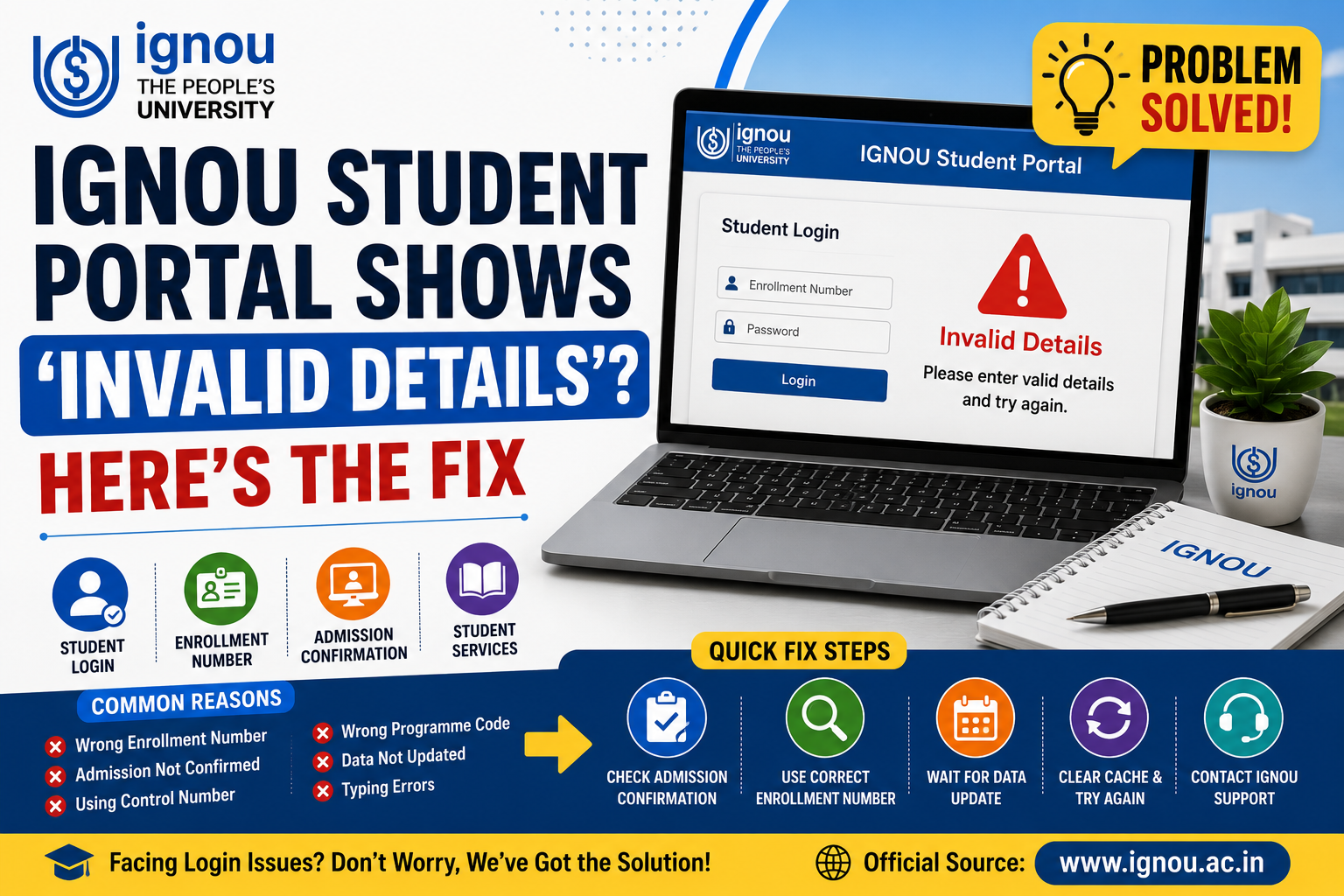
IGNOU Student Portal Invalid Details Error is a common issue faced by both new and old students of IGNOU. This error may appear while trying to log in, download the ID card, check admission status, access the grade card or use IGNOU Samarth Portal services.
The message can feel stressful, but most of the time it happens due to wrong details, unconfirmed admission, portal update delay, incorrect enrolment number or mismatch in student records.
Official source note: Students should verify the latest admission, login, student services, exam, grade card and portal-related updates from the official IGNOU website. For academic rules related to registration, assignments, evaluation and examinations, students may also refer to the official Student Registration and Evaluation Systems Manual.
Intro
If the IGNOU student portal is showing “Invalid Details”, it does not always mean that your admission is rejected or cancelled. In many cases, the problem is caused by typing mistakes, wrong portal selection, data not being updated or admission still being under process.
Students should first check the official IGNOU Student Services section and confirm all details before assuming a serious issue.
Important: Payment success and admission approval are not the same. Your fee may be paid successfully, but admission approval may still be under process.
Why Does IGNOU Student Portal Show Invalid Details?
There can be several reasons behind the IGNOU Invalid Details Error. Understanding the cause will help students solve the problem faster.
Common Reasons
- Wrong enrolment number entered.
- Admission not yet confirmed.
- Using control number instead of enrolment number.
- Incorrect date of birth format.
- Wrong programme code.
- Portal data not refreshed.
Other Possible Reasons
- Typing error in name or number.
- Trying to log in on the wrong portal.
- Temporary server issue.
- Old browser cache problem.
- Mismatch in student records.
- Trying too early after admission application.
Wrong Details
Check enrolment number, DOB and programme code.
Admission Delay
New admission data may take time to update.
Portal Issue
Server or browser problems can also cause errors.
Verify Admission Confirmation
The first step is to check whether IGNOU admission confirmation is complete. Many students try to log in before their admission is fully approved.
- Check personal details and name.
- Verify programme code.
- Check course number or course code.
- Confirm admission session.
- Verify fee payment status.
- Check Regional Centre details.
- Check Study Centre details.
- Save registration number.
- Check admission approval status.
Admission note: Do not depend only on payment receipt. Login services may work properly only after admission approval and data update.
Obtain and Keep the Enrolment Number
The IGNOU Enrolment Number is very important for student login and academic services. Usually, IGNOU provides the enrolment number after admission confirmation.
Students Need It For
- IGNOU Student Login Page.
- ID card download.
- Assignment submission.
- Exam form filling.
- Hall ticket download.
- Grade card checking.
- Result checking.
- Student account access.
Do Not Confuse It With
- Control number.
- Application number.
- Payment reference number.
- Temporary registration details.
- Old enrolment number from another programme.
Download IGNOU ID Card
After admission is confirmed, students should try to download the IGNOU ID Card from the official student portal. If the portal shows invalid details while downloading the ID card, verify whether the correct enrolment number, programme code and date of birth are being entered.
Save the ID card digitally and keep a printed copy. It may be needed for assignment submission, exams, Study Centre visits and student verification.
Study the Programme Guide Carefully
The programme guide helps students understand the academic process after admission. Students often face login or portal confusion because they do not know the correct course code, programme code or academic cycle.
Programme Guide Usually Includes
- Programme structure.
- Course codes.
- Assignment guidelines.
- Exam process.
- Passing grades.
- Practical or project rules.
- Re-registration process.
- Minimum and maximum duration.
How to Correct IGNOU Student Portal Invalid Details Error
Students can follow simple steps to fix the IGNOU login problem. A single failed login attempt is not a reason to panic. First, calmly recheck all details.
Double-check your enrolment number.
Enter the correct programme code.
Use the proper date of birth format.
Do not add extra spaces while typing.
Try a different browser.
Clear browser cache and cookies.
Use only the official IGNOU portal.
If admission is new, wait for data update.
If the server is busy, try again after some time.
If the issue continues, contact IGNOU Student Services or Regional Centre.
IGNOU Samarth Portal Login Problem
The IGNOU Samarth Portal provides many student services, but login issues may appear if admission data is not updated or wrong credentials are used.
Check Before Assuming a Serious Problem
- Admission confirmation status.
- Registered email ID.
- Registered mobile number.
- Enrolment number.
- Programme code.
- Password reset option.
- Portal instructions.
New Students Should Avoid
- Repeated login attempts before approval.
- Using control number for student login.
- Trying unofficial websites.
- Entering wrong programme code.
- Ignoring official admission status.
How to Access Study Material
Even if your portal login is not working, students should not stop studying. If available, students can download digital study material from official IGNOU learning resources.
Start reading course material and make short notes on important topics. This will save time while waiting for portal correction or data update.
How to Submit IGNOU Assignments on Time
In most IGNOU programmes, assignments are compulsory. After verifying admission and enrolment number, students should download the correct assignment question paper and prepare answers properly.
Students can consult academic support resources such as IGNOU Galaxy, Best IGNOU Solved Assignments and Best IGNOU Handwritten Assignments for answer-writing tips. These resources should only be used for understanding format, structure and presentation. Final answers should always be written in the student’s own words.
Assignment note: Do not wait for portal issues to become worse. Once admission and course details are confirmed, start assignments early and keep submission proof safely.
Keep Up With Dates and Deadlines
Do not let portal issues prevent you from meeting important academic deadlines. If the login problem continues, contact the Regional Centre early and do not wait for the last date.
Academic Dates
- Admission confirmation date.
- Assignment submission last date.
- Re-registration last date.
- Project or practical due dates.
Exam Dates
- Exam form last date.
- Hall ticket release.
- Term-End Examination schedule.
- Result and grade card update.
IGNOU Exam Form Fill
Students have to fill the IGNOU Exam Form separately to appear in the Term-End Examination. If the portal shows invalid details while filling the exam form, check whether admission is valid and course codes are correct.
- Enter the correct enrolment number.
- Use the correct programme code.
- Verify that course codes are correct.
- Submit assignments where required.
- Pay the exam fee successfully.
- Keep exam form confirmation for records.
Synopsis or Project Submission
Some programmes include project work, synopsis, practicals or viva. If you are seeing an error on your student account, do not submit project documents blindly.
First, check your programme guide and official instructions. Students may refer to Best IGNOU Projects for understanding the format, but the final project should be original and prepared as per IGNOU rules.
Begin Exam Preparation Early
Students should not wait until all portal problems are fixed to start studying. Once admission is confirmed and course details are clear, begin preparation.
Read official study material.
Make short notes.
Complete assignments early.
Track portal updates.
Check exam form dates.
Revise important questions.
Keep all documents safe.
Use IGNOU Guess Paper only for revision support.
Preparation tip: Early preparation reduces last-minute pressure and gives enough time to solve portal or document issues.
Common Mistakes to Avoid
Students often make small mistakes that cause IGNOU portal errors. Careful checking can solve most login problems.
Avoid These Mistakes
- Entering control number as enrolment number.
- Typing wrong date of birth.
- Using old or wrong programme code.
- Trying to log in before admission confirmation.
- Using unofficial websites.
- Ignoring Regional Centre updates.
- Waiting until the last date.
- Not saving admission proof.
- Not checking registered email.
- Submitting wrong course details.
Final Tips for New IGNOU Students
Before Login
- Check admission status first.
- Save enrolment number safely.
- Use only official IGNOU portals.
- Keep registered email and mobile active.
After Confirmation
- Download ID card after confirmation.
- Read the programme guide.
- Start assignments early.
- Track deadlines regularly.
If Problem Continues
- Contact Regional Centre if needed.
- Keep screenshots safely.
- Save fee receipts.
- Send complete details while asking for support.
Conclusion
IGNOU Student Portal Invalid Details Error is usually caused by incorrect details, unconfirmed admission, wrong portal use, data update delay or temporary technical issues. Students should first check admission confirmation, enrolment number, programme code and date of birth carefully.
If the problem continues, contact IGNOU Student Services or the concerned Regional Centre with proper details. Students can get study support through academic resources like IGNOU Galaxy, IGNOU Solved Assignments, IGNOU Handwritten Assignments and IGNOU Projects, but official IGNOU portals and notices should always be followed for login, admission and examination updates.
IGNOU Student Portal Invalid Details Error FAQs
1. Why is IGNOU Student Portal showing invalid details?
It may happen because of wrong enrolment number, wrong programme code, wrong date of birth, unconfirmed admission or portal data update delay.
2. Does invalid details mean my admission is rejected?
Not always. It may simply mean that your details are not updated yet or the entered information is incorrect.
3. Can I use control number for IGNOU Student Login?
Usually, student login requires enrolment number. Control number is mainly used during the admission application process.
4. What should I do if my enrolment number is not working?
Check admission confirmation, verify the number, wait for data update and contact IGNOU support if the issue continues.
5. Why can’t I download my IGNOU ID Card?
Your admission may not be confirmed, or you may be entering incorrect enrolment number, programme code or date of birth.
6. Are IGNOU Samarth Portal and old student login different?
Yes, IGNOU may have different portals for different services. Always use the official link given for the service you are using.
7. Should I try again and again if login fails?
No, first recheck details, clear browser cache, confirm admission status and then try again calmly.
8. What details should I send to Regional Centre?
Send enrolment number, programme code, registered email, mobile number, admission proof and screenshot of the error.
9. Can portal error delay assignment submission?
It can create confusion, so students should contact the Study Centre or Regional Centre early and not wait until the last date.
10. Where should I check official updates?
Students should check the official IGNOU website, Student Services section, official portal notices and Regional Centre updates.