 © Copyright 2026 IGNOU Galaxy.
Where to Find IGNOU Online Classes: Complete Guide
IGNOU students can get access to online classes on several official platforms but there is no one class page that covers all programmes and courses. The correct platform depends on whether you are enrolled for an online programme or an Open and Distance Learning programme.
IGNOU Online Classes can be delivered through Learning Management System, Regional Centre counselling schedules, SWAYAM, recorded videos, educational broadcasts or links specific to a programme. Students are advised to check the mode of their programme and centre allocated before searching for lectures.
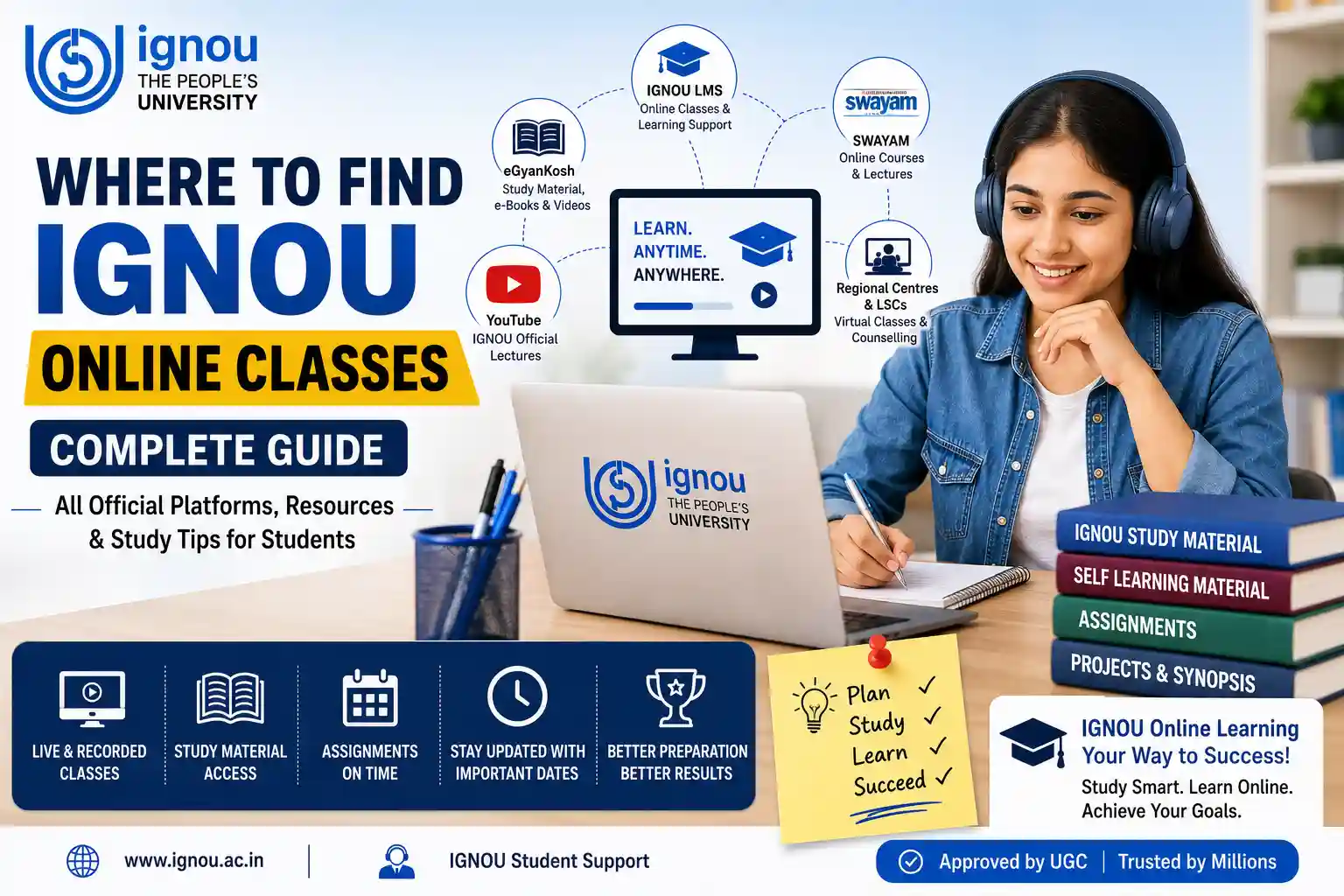
Where to Find IGNOU Online Classes?
IGNOU Online Lectures main sources are as follows:
- Ignou Learning Management System (LMS)
- Regional Center Websites
- Learner Support Centre announcements
- eGyanKosh Resources
- Courses on SWAYAM
- SWAYAM Prabha educational channels
- Official YouTube Channel of IGNOU
- Online counselling links for specific programmes
Not all courses have live classes each week. Some programmes have counselling scheduled, others have lectures recorded and study material available in digital format.
Review Your Admission Confirmation
Ensure your admission is approved before you start looking for classes. The mode of your programme dictates the academic services and learning platform you should be using.
Verify:
- Program code
- Admissions session
- Online or ODL mode
- Regional Center
- Learning Support Centre.
- Email address registered
- Mobile number registered
The admission is confirmed in the student-registration process, and IGNOU provides the enrolment number. Keep your contact information active as you may receive login info and counseling notices via email or SMS.
Keep Your Enrolment No.
Your enrolment number is . This will be needed for student services and for looking up your academic record .
Store it in more than one place, as you might need it for:
- Sign In to Student Portal
- Download identity card
- Submission of assignment
- Exam forms
- Report cards & results
- Contact the Regional Centre
Your Application control number is not your final Enrolment number.
How to Download IGNOU ID Card
Download your student ID card once your admission is confirmed. Have a PDF copy on your phone and computer and a print copy.
In counselling sessions, practical classes, exams and when visiting a Learner Support Centre you may be asked to show your ID card. Verify that the name, photograph, programme code and student number are correct.
Read the Program Guide Thoroughly
The programme guide tells you how your course is delivered. It may refer to the online counselling, practical classes, study material, assignments and the platform used for academic support.
Check if your programme provides:
- Online counselling live
- Video lectures recorded
- Access to Learning Management Systems
- Laboratory or practical classes
- Content from SWAYAM
- Projects/Internships
- Study material in printed or digital form
Don’t assume that because something applies to one program it will apply to yours.
Usage of IGNOU Learning Management System
Generally, students enrolled in an IGNOU Online Programme are supported through a digital learning platform. Depending on the programme, the IGNOU Learning Management System may offer:
- Learning content of the course
- Lectures available
- Notices
- Activities for discussion
- Directions for the assignment
- Academic support online
- Live session links
Follow the login instructions for your programme. If access still does not work, take a screenshot of the error and contact the relevant online programme support team.
It is generally easier to navigate courses, upload documents and attend longer sessions on a laptop or desktop rather than on a phone.
Visit your Regional Centre website
Students of the ODL programme are expected to visit the website of their Regional Centre regularly. Regional Centres publish academic counselling schedules for various programmes and Learner Support Centres.
Organised online sessions may be:
- Your designated Regional Centre
- Your Learner Support Centre
- One Nodal Regional Centre
- School of Studies
- Another approved centre for students across the country
For example, official Regional Centre pages post separate schedules for online counselling, theory sessions and practical counselling. Availability depends on programme and session.
Access IGNOU eGyanKosh
IGNOU eGyanKosh is a national digital repository of self learning material and other educational resources developed for open and distance education.
Students can use it to look up:
- IGNOU Solved Assignment
- Programme collections
- Study blocks by course
- Video recordings for academics
- Course Content of IGNOU SWAYAM
- Selected audio and video content
The platform comprises separate collections of IGNOU study material and recorded learning resources. Search by exact programme or course code for best results.
Search IGNOU SWAYAM Programmes
SWAYAM offers Massive Open Online Courses developed by world-class educational institutions. IGNOU is a national co-ordinator and it offers courses through this platform.
The IGNOU SWAYAM Course may comprise of:
- Video-lectures
- Reading matter
- Learning modules each week
- Self-assessment tasks
- Discussion boards
- Quiz/homework
- Proctored exams, where applicable
A SWAYAM course is different from the counselling schedule of your registered IGNOU course. See if it’s part of your programme, available as an additional course or transferable for credit.
SWAYAM Prabha Channels
SWAYAM Prabha is a group of DTH television channels that telecast educational programmes. Channels broadcast academic content all day, with repeated schedules for convenience of learners.
This option is helpful for students with limited access to the internet. IGNOU is one of the contributors of educational content to the system SWAYAM Prabha but students should check the programme schedule to find relevant broadcasts.
Search for Official IGNOU YouTube Lectures
The IGNOU YouTube Lectures are available on the official university, the School of Studies or Regional Centre channels.
Before you trust a video, watch for:
- If the channel is officially linked to IGNOU
- Course code and programme
- Date of publication
- If the syllabus is up to date
- Video is a complete lecture or general guidance
Recorded lectures are great for revision, but they should supplement, not completely replace, the prescribed study material.
Access IGNOU Study Materials Online
You can access the IGNOU Online Study Material from official digital repositories and programme platforms. Please download the material coursewise and arrange it properly.
Here’s how to do it:
- Create a folder for the semester.
- Make subfolders with course codes.
- Keep study blocks and lecture notes separate.
- Make an offline copy.
- After each unit make short revision notes.
Also check IGNOU Galaxy for general academic support and students updates.
Finish Assignments On Time
“Attending the online classes does not replace the submission of assignments. Download the assignment that corresponds to your course code and academic session.
IGNOU Solved Assignments help the learners to comprehend the structure of the answers. IGNOU Handwritten Assignments can offer help in writing, but students should write their own answers and follow the official instructions for submission.
Keep the submission receipt / online acknowledgement till the marks are reflected in the grade card.
Take Note of Important Dates and Class Schedules
Links for online classes may be sent out just days before class. Don’t wait for personal messages, stay up to date on official sources.
Track: 1 .
- Counselling timetables
- assignment due dates
- Dates for re-registration
- Dates of examination forms
- Classes in practice
- Submission of project
- End term examinations
Add dates to your phone’s calendar and turn on reminders.
Complete the Examination Form
Registration for online classes and for examination is separate. Students need to fill the examination form for the courses they are eligible and want to appear.
Before submission:
- Kindly check the enrolment number.
- Pick the proper codes.
- See the test center.
- Pay the applicable charges.
- Keep the receipt.
- Download the hall ticket once it is out.
Don't assume that by attending the virtual classes you will automatically be registered for the examination.
Submit Projects and Synopsis
Some IGNOU programmes have projects, dissertations or field based activities. The process can be explained through online lectures but students need to comply with the official project manual.
IGNOU Projects can be referred to for general guidance in selecting topic and report structure. 4. Final Synopsis and Project report to be submitted in original and prescribed mode.
Tips on How to Find Classes
- Search by your exact programme and course code.
- Monitor the Regional Centre website weekly.
- Your registered email address should be active.
- Only follow links sent to you through official channels.
- Test application for meeting before class.
- Save the recorded lectures for revision, if permitted.
- Keep your study material open while attending lectures.
- Prepare questions for the counselling sessions.
Common Pitfalls to Avoid
- Exclusively use of WhatsApp groups
- Attending paid unofficial classes being sold as IGNOU sessions
- Search without the course code
- Old counselling timetables
- Confusing SWAYAM courses with programme counseling
- Ignoring notices from the Regional Centre
- Missed classes due to unchecked email notifications
- Using videos recorded as a complete substitute for study material
Common Questions
1. IGNOU Online Classes- Where to Find
LMS Check programme, Regional Centre website, Learner Support Centre notices, eGyanKosh and official digital platforms.
2. Can I take online classes for all the IGNOU courses?
No. Availability and frequency varies depending on the programme, course and Regional Centre.
3. Am I required to attend IGNOU online classes?
General counselling may be optional but practical internship or programme-specific activities may have mandatory requirements.
4. How do I get the link for the online class?
Links may be shared through LMS, registered email, Regional Centre notice or official counselling schedule.
5. Can I view recorded IGNOU lectures?
Yes, recorded resources might be available through eGyanKosh or official channels or the programme LMS.
6. Is eGyanKosh free of cost?
In general, the study material available on eGyanKosh from IGNOU can be used for academic purpose without subscription.
7. Are SWAYAM and IGNOU classes same?
No. SWAYAM offers structured MOOCs whereas IGNOU counselling is for students enrolled in selected programmes.
8. Is it possible to attend online classes on mobile?
Yes . A laptop makes a better experience though for long sessions and document access .
9. What if a class schedule does not show up?
Contact your Learner Support Centre or Regional Centre and continue your study using the official material.
10. Does IGNOU have online classes?
No. The classes help with learning, the prescribed self-learning literature is an important academic resource.
Advice to New IGNOU Students
Start by confirming your programme mode and Regional Centre. Search all platforms with specific course codes—rather than generic subject titles.
Maintain separate bookmarks for the student portal, Regional Centre, eGyanKosh and programme LMS. Checking notices is a simple weekly habit that can help you avoid missing classes and deadlines.
Conclusion
Students looking for Where to Find IGNOU Online Classes should visit the official programme platform and their Regional Centre. Learning support may be available through IGNOU Learning Management System, online counselling, eGyanKosh, SWAYAM, SWAYAM Prabha and recorded lectures depending upon the course.
Not every class is on one platform. Verify source, course code, session before joining. The best IGNOU Digital Learning experience is with the official study material, assignments and regular revision along with online lectures.